Building a website for a small business can become complicated very quickly.
You start with a homepage.
Then someone says you need a blog.
Another person recommends online booking.
Next comes live chat, an AI chatbot, popups, animation, customer accounts, a CRM connection, advanced analytics, and a long list of other features.
Before long, a simple website project starts feeling like a software platform.
Most small businesses do not need everything from day one.
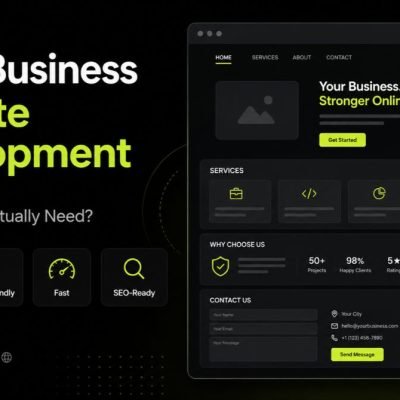
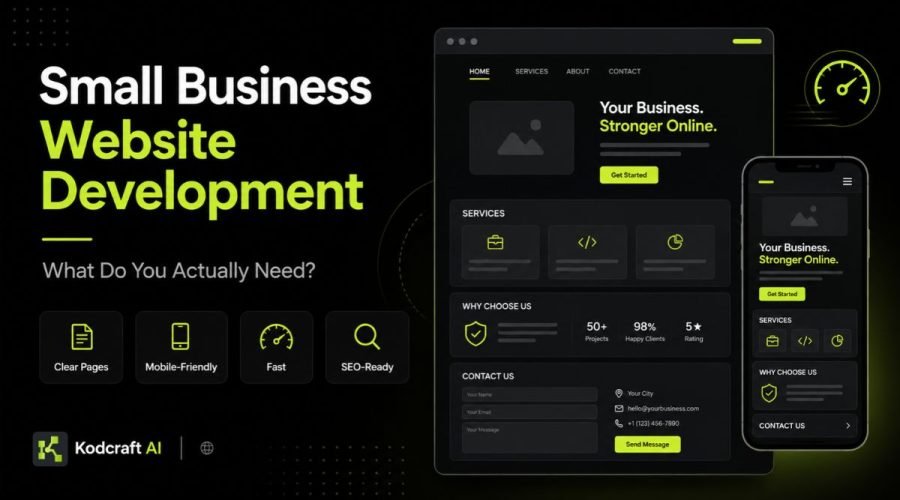
Instead, they need a website that clearly explains the business, works well on mobile, loads quickly, builds trust, gives visitors useful information, and makes the next step easy.
The right website depends on the business. However, the basic goal is usually the same:
Help the right people understand what you offer, trust your business, and take a useful next step.
This guide explains what a small business website actually needs, what can usually wait, and how to plan a website without making the first version bigger than necessary.
For broader resources about performance, SEO, website planning, and conversions, visit our Website Strategy, Performance & Growth hub.
Quick Answer: What Does a Small Business Website Actually Need?
A small business website usually needs:
- a clear explanation of what the business does;
- a professional homepage;
- pages for important services or products;
- an About page or other trust information;
- a simple way to contact, book, call, or request a quote;
- mobile-friendly design;
- good loading performance;
- basic SEO foundations;
- clear navigation;
- useful calls to action;
- trust signals;
- accessible content and controls;
- analytics or another way to measure results;
- a setup that can be updated as the business changes.
You may also need a portfolio, testimonials, FAQs, pricing, online payments, appointment booking, location pages, a blog, customer accounts, or integrations.
However, those should be added because they solve a real business need, not because every modern website seems to have them.
Start With the Business, Not the Website
Before deciding how many pages you need, answer a simpler question:
What should the website help the business do?
For example, the goal may be to:
- generate quote requests;
- get more phone calls;
- book appointments;
- explain professional services;
- show previous work;
- sell products;
- attract local customers;
- answer common questions;
- build credibility before a sales call;
- support referrals;
- collect applications;
- provide useful information;
- reduce repetitive inquiries.
This decision affects almost everything that follows.
A website designed to generate consultation requests will not need the same structure as a restaurant website.
Likewise, a construction company has different needs from a software consultant, dental clinic, training center, online retailer, or repair service.
Therefore, small business website development should begin with the business goal and customer journey, not a list of features.
Who Is the Website For?
You should also understand who is likely to visit.
Ask:
- Who is the main customer?
- What problem brings them here?
- What do they need to know before contacting the business?
- What might make them hesitate?
- What questions do customers repeatedly ask?
- What proof would make the business easier to trust?
- What action should visitors take next?
These questions make website planning much easier.
For instance, a customer choosing a contractor may care about past projects, service areas, experience, and proof of completed work.
Meanwhile, someone looking for a local clinic may care more about services, location, schedules, contact options, credentials, and appointment booking.
The website should reflect what the visitor needs, not just what the business wants to say.
The Essential Pages Most Small Businesses Need
There is no fixed number of pages that every website must have.
Still, several pages are useful for many small businesses.
1. Homepage
The homepage should quickly answer:
What does this business do?
Who does it help?
Why should I continue?
What should I do next?
It does not need to explain every detail.
Instead, it should act as a clear starting point that directs visitors to the right information.
A useful homepage often includes:
- a clear headline;
- a short explanation of the business;
- important services or products;
- trust signals;
- selected proof;
- a simple next step;
- links to deeper pages.
Clarity matters more than clever wording.
2. Service or Product Pages
If your business offers several important services, each major service may deserve its own page.
That gives you more room to explain:
- what the service is;
- who it is for;
- what problem it solves;
- how the process works;
- common questions;
- relevant proof;
- the next step.
Separate pages can also support search visibility when each service represents a different search need.
However, do not create separate pages simply to make the website larger.
Each page should have a clear purpose.
3. About Page
People often want to know who they may be dealing with.
An About page can explain:
- who runs the business;
- the company’s background;
- experience;
- approach;
- values;
- location;
- relevant registrations or credentials;
- why the business exists.
The goal is not to write a long company biography.
Instead, give visitors enough information to understand the people or business behind the website.
4. Contact Page
Do not make people search for a way to contact you.
Depending on the business, the contact page may include:
- phone number;
- email;
- contact form;
- location;
- business hours;
- map;
- appointment link;
- quotation form;
- social profiles.
Keep the process simple.
If someone is ready to contact the business, unnecessary steps can create friction.
Do You Need a Dedicated Pricing Page?
Maybe.
Transparent pricing can help when your service has clear packages or common price ranges.
However, pricing pages are less useful when every project requires a custom assessment.
In that case, you could explain:
- how pricing is determined;
- typical starting points;
- what affects the cost;
- what is included;
- how to request an estimate.
The important thing is to reduce uncertainty where possible.
Visitors do not always need an exact number. Still, they often want to know what kind of investment they are considering.
Do You Need a Portfolio or Case Studies?
If your customers care about proof, usually yes.
A portfolio can be useful for:
- designers;
- developers;
- contractors;
- architects;
- photographers;
- agencies;
- manufacturers;
- consultants;
- repair businesses;
- interior designers;
- other project-based businesses.
However, simply uploading images is not always enough.
Where possible, explain:
- the project;
- the problem;
- what was delivered;
- key features;
- the outcome.
This gives visitors more context and makes the work easier to understand.
Kodcraft AI follows the same principle in our own Portfolio: project pages should show real execution rather than functioning only as a gallery.
Does a Small Business Website Need a Blog?
Not automatically.
A blog is useful when customers regularly search for questions related to your expertise.
For example, useful articles can:
- answer common questions;
- explain decisions;
- compare options;
- solve small problems;
- support service pages;
- build topical authority;
- attract search traffic.
However, publishing thin articles just because someone said “SEO needs a blog” is not a strong strategy.
A smaller library of genuinely useful resources can be more valuable.
Google’s SEO guidance encourages websites to create content that is useful, unique, well organized, and written for readers rather than simply repeating what already exists online.
For Kodcraft AI, that is why educational website articles live under this Website Growth hub instead of being mixed directly into the Website Development service page.
How Many Pages Does a Small Business Website Need?
There is no universal answer.
A simple professional business might launch with:
- Homepage
- About
- Services
- Portfolio or Projects
- Contact
However, another business may need:
- individual service pages;
- several locations;
- industries served;
- pricing;
- resources;
- FAQs;
- booking;
- shop pages;
- policies;
- case studies.
The right number depends on the information people genuinely need.
Therefore, do not begin with:
“We need a 10-page website.”
Start with:
“What information deserves its own page?”
That creates a much stronger structure.
A Practical Starter Structure
A small service business might use:
Supporting educational content can then grow around those pages later.
For example:
This makes the website useful both for people who are ready to buy and people who are still researching.
Clear Messaging Matters More Than Fancy Design
A beautiful website can still fail if visitors cannot understand it.
Within the first part of a page, a new visitor should usually be able to understand:
- what the business offers;
- who it serves;
- why the offer matters;
- what they can do next.
Avoid headlines that sound impressive but say very little.
For example:
“Transforming Tomorrow Through Innovative Excellence”
could describe almost anything.
A more specific headline is often stronger:
“Commercial Cleaning Services for Offices and Retail Spaces in Davao City”
It is not as poetic.
However, it is much easier to understand.
Design should support the message rather than hide it.
Your Website Needs a Clear Next Step
Every important page should help the visitor understand what to do next.
Common calls to action include:
- Request a Quote
- Book an Appointment
- Call Us
- View Services
- See Our Work
- Check Availability
- Start a Project
- Get Directions
- Download the Guide
The best CTA depends on the page.
For example, someone reading an educational guide may not be ready to request a quote.
In that case, directing them to a related guide or service page can make more sense.
Meanwhile, someone who has read a detailed service page may be ready to contact the business.
Not every page needs the same button.
Trust Signals Are Essential
Small businesses often compete with larger companies that are already familiar to customers.
Because of that, trust matters.
Useful trust signals can include:
- real project examples;
- testimonials;
- reviews;
- business registrations;
- professional certifications;
- years of experience;
- client logos;
- team information;
- physical location;
- clear contact information;
- policies;
- guarantees where appropriate;
- detailed service information.
Do not add fake numbers or generic claims.
“Trusted by thousands” does not help if the business cannot support that statement.
Specific and verifiable proof is stronger.
Your Website Must Work Well on Mobile
A mobile website is not simply the desktop version squeezed into a smaller screen.
The layout should adapt.
That means checking:
- text size;
- spacing;
- navigation;
- forms;
- buttons;
- images;
- tables;
- contact information;
- popups;
- sticky elements.
Important actions should remain easy to use with a finger.
In addition, content should appear in a sensible order.
This matters because many customers may first discover a local or small business while using a phone.
Website Speed Matters, but Do Not Chase a Perfect Score
Performance affects how the website feels.
A slow site can frustrate visitors before they even understand what the business offers.
Common causes of poor performance include:
- very large images;
- unnecessary scripts;
- too many plugins;
- large video backgrounds;
- third-party widgets;
- poorly loaded fonts;
- complicated animations;
- slow servers.
Google’s Core Web Vitals guidance focuses on loading performance, responsiveness, and visual stability as parts of page experience.
However, a perfect performance score should not become the only goal.
A website still needs useful content, good design, clear navigation, and useful features.
Therefore, the aim should be good real-world performance, not simply a high test result.
Google Core Web Vitals guidance
Small Business Websites Need SEO Foundations From the Start
SEO should not be something added only after the website is finished.
At a basic level, a search-friendly website should have:
- clear page topics;
- descriptive page titles;
- useful headings;
- logical URLs;
- crawlable content;
- internal links;
- mobile-friendly pages;
- useful text content;
- sensible navigation;
- descriptive links;
- an XML sitemap where appropriate.
Google specifically recommends organizing websites logically, creating useful content, and linking to relevant resources so users and search engines can understand how pages relate.
Still, an SEO-ready website does not guarantee rankings.
Competition, content quality, authority, location, search intent, links, and continued work also affect visibility.
Think of SEO readiness as the foundation.
Local Businesses Need Local Information
If customers visit your location or you serve a defined area, make that clear.
Useful information may include:
- city;
- service areas;
- address;
- phone number;
- opening hours;
- directions;
- map;
- local service information.
Also, make sure that important business information is consistent across the website and other business listings.
A local customer should not have to guess whether you serve their area.
However, avoid creating dozens of weak location pages that contain almost identical text.
Each location page should have a genuine reason to exist.
Do You Need Google Analytics?
You need some way to understand whether the website is helping.
Analytics can answer questions such as:
- Which pages receive visits?
- Where does traffic come from?
- Which pages lead to inquiries?
- What content attracts search visitors?
- Where do users leave?
- Which devices do visitors use?
Google Analytics is one option.
However, the specific tool matters less than having a clear reason for collecting data.
Do not add every tracking platform available.
Extra scripts can affect privacy, maintenance, and performance.
Measure what you actually plan to use.
Accessibility Should Be Part of the Build
A professional website should be usable by as many people as reasonably possible.
Accessibility considerations include:
- readable contrast;
- keyboard navigation;
- visible focus states;
- proper form labels;
- useful image alt text;
- clear headings;
- understandable links;
- readable text;
- controls that work without relying only on a mouse.
The W3C Web Accessibility Initiative develops standards and resources for creating more accessible web experiences.
W3C Web Accessibility Initiative
Accessibility is not simply another feature to install later.
Instead, it should influence how the website is designed and built.
Does Your Website Need Online Booking?
Only when booking is a meaningful part of the customer journey.
Examples include:
- clinics;
- consultants;
- salons;
- repair services;
- trainers;
- photographers;
- professional services.
Booking software can reduce back-and-forth communication.
However, it can also create unnecessary complexity when customers need to discuss their requirements first.
Ask:
Would customers benefit from choosing an available time without speaking to us first?
If yes, booking may be useful.
If no, a simple inquiry form may work better.
Do You Need Live Chat?
Again, it depends.
Live chat can help if:
- someone is available to respond;
- customers regularly need quick answers;
- the service involves short pre-sale questions;
- chat fits the sales process.
However, an unanswered chat widget can create a poor experience.
Also, every additional third-party widget adds another script and another system to maintain.
Therefore, do not add live chat simply because it looks modern.
Do You Need an AI Chatbot?
AI can be useful in specific situations.
For instance, an AI assistant might help visitors:
- find information;
- search documentation;
- answer common questions;
- navigate a large knowledge base;
- identify the right service.
However, most small business websites do not need an AI chatbot simply to be considered modern.
If five clear FAQ answers can solve the problem, use the five FAQ answers.
AI should solve a real problem.
Do You Need Online Payments?
Online payments make sense when customers can complete a transaction without needing a custom quote or detailed consultation.
They may be useful for:
- deposits;
- appointments;
- fixed-price services;
- products;
- memberships;
- event registrations.
However, a business selling complex custom services may not need checkout functionality.
In that case, an inquiry or quotation process may be more appropriate.
Again, the business model should decide the feature.
When Is a Landing Page Enough?
You may not need a full website for every campaign.
A landing page can work well when you have:
- one offer;
- one campaign;
- one audience;
- one main action.
For example:
Facebook Ad → Landing Page → Consultation Booking
A dedicated landing page keeps the experience focused.
However, a landing page does not always replace a full business website.
Visitors who want to research the company may still look for:
- About information;
- services;
- portfolio work;
- policies;
- contact information;
- resources.
Kodcraft AI offers Landing Page Development separately because a focused campaign page solves a different problem from a broader business website.
When Does a Small Business Need Something More Custom?
Some businesses eventually need more than normal website pages.
For example, you may need:
- a client portal;
- customer accounts;
- online quoting;
- custom calculators;
- member dashboards;
- application workflows;
- directory listings;
- internal integrations;
- booking logic;
- custom search;
- a business dashboard.
At that point, the project may begin moving from a standard website into custom application territory.
That does not mean the public website disappears.
Instead, the website and the business system may work together.
If your requirements go beyond normal website functionality, explore Custom App Development or Internal Tool Development.
What Can Usually Wait Until Later?
A small business website does not need every future idea during the first launch.
Features that may be added later include:
- advanced automation;
- complex customer portals;
- AI assistants;
- large content libraries;
- advanced reporting;
- membership systems;
- multiple language versions;
- detailed calculators;
- loyalty programs;
- complex CRM integrations.
Launching a focused website can be better than delaying the project while building features nobody has tested yet.
You can add functionality when the business case becomes clearer.
Essential vs Nice-to-Have Website Features
| Usually Essential | Depends on the Business |
|---|---|
| Clear messaging | Online booking |
| Mobile-friendly design | Live chat |
| Fast loading | AI chatbot |
| Contact method | Online payments |
| Service information | Customer accounts |
| Trust information | Custom calculators |
| Basic SEO setup | Advanced automation |
| Analytics or measurement | Membership features |
| Secure setup | Complex integrations |
| Accessible structure | Multi-language content |
This is not a strict rule.
Instead, use it as a way to separate business needs from interesting ideas.
What Content Should You Prepare Before Development?
Website projects move faster when core information is ready.
Before development begins, gather:
Business Basics
- business name;
- short description;
- contact details;
- location;
- service areas;
- opening hours.
Services
For each important service:
- service name;
- what it includes;
- who it is for;
- common questions;
- process;
- call to action.
Trust Information
- testimonials;
- reviews;
- certifications;
- registrations;
- years of experience;
- awards where relevant.
Visual Assets
- logo;
- brand colors;
- real photos;
- team photos;
- project images;
- product photos.
Legal Information
Depending on the business and market, you may also need:
- Privacy Policy;
- Terms;
- Cookie information;
- other relevant legal notices.
Preparing these items early reduces placeholder content and rushed decisions.
Real Photos or Stock Photos?
Real photos are often stronger when customers care about the people, location, products, or physical work behind the business.
Examples include:
- team members;
- completed projects;
- office;
- clinic;
- restaurant;
- products;
- equipment.
However, professional stock photography can still be useful when real images are not available.
The bigger problem is using images that feel unrelated to the actual business.
A local construction company does not become more credible because its website shows a random skyscraper from another country.
Use visuals that support the story you are telling.
Should You Use a Template or Custom Design?
Templates can work well.
In fact, a good template may be the practical choice when:
- the business needs a simple website;
- requirements are standard;
- the layout fits the content;
- the budget is limited;
- launch speed is important.
Custom design becomes more useful when:
- the brand needs a distinct visual system;
- the site has unusual content;
- user journeys are more complex;
- performance needs tighter control;
- the business needs custom functionality;
- standard templates create too many compromises.
The goal is not to make every website custom just to make it sound premium.
Choose the level of customization the project actually needs.
What Should a Small Business Website Avoid?
Several common mistakes can make a website harder to use.
Too Much Information on the Homepage
Your homepage does not need to contain the entire business.
Give visitors enough information to understand the offer, then guide them deeper.
Too Many Calls to Action
If every button asks for a different action, visitors may not know which one matters.
Keep priorities clear.
Vague Headlines
Visitors should not need to interpret marketing language before they understand the service.
Very Large Images and Videos
Visuals can improve a website.
However, they should be optimized so they do not make pages unnecessarily slow.
Hidden Contact Information
Do not make ready-to-buy visitors search for your phone number or inquiry form.
Building Features Before Understanding the Need
Complex features can be expensive to build and maintain.
Validate the need first.
What Does a Good Starter Small Business Website Look Like?
For many service businesses, a strong first version could be:
Homepage
Clear positioning, core services, trust information, selected work, and CTA.
About
Business background, team, experience, and credibility.
Services
Overview of what the business offers.
Individual Service Pages
Used when each major service deserves deeper information.
Portfolio or Proof
Projects, reviews, case studies, or relevant results.
Contact
Simple inquiry method and business details.
Legal Pages
Privacy, Terms, Cookie information, and other notices where applicable.
That structure can grow later.
For example, you can add educational resources, location pages, new services, booking, integrations, or other functionality when they are justified.
What Makes a Small Business Website SEO-Ready?
A practical SEO foundation includes:
One Clear Purpose Per Important Page
Avoid creating several pages that all target the same topic.
Logical Navigation
Visitors should be able to find important information easily.
Clear Headings
Headings help organize the page for both readers and search engines.
Useful Internal Links
Connect relevant services, resources, portfolio pages, and conversion pages.
Helpful Content
Answer the questions customers actually ask.
Descriptive Metadata
Use clear titles and descriptions that explain what each page contains.
Mobile-Friendly Pages
The experience should remain useful on smaller screens.
Reasonable Performance
Avoid making pages unnecessarily heavy.
These elements support SEO, AEO, and GEO because they make information easier to discover, understand, and extract.
However, the content still needs to be useful.
How Can a Website Be Better Prepared for AI Search and Answer Engines?
Search is changing.
People increasingly ask full questions rather than typing only short keywords.
Therefore, useful business content should provide clear answers.
A website can make information easier for search engines and AI systems to interpret by using:
- clear page topics;
- descriptive headings;
- concise definitions;
- direct answers;
- FAQs;
- logical page relationships;
- useful internal links;
- accurate business information;
- clear expertise and proof.
For example, instead of writing:
“Our solutions redefine digital excellence.”
write something that can be understood without context:
“We build custom business websites designed around performance, SEO foundations, responsive layouts, and clear conversion paths.”
Clarity helps people first.
It also makes the information easier for machines to understand.
How Much Should You Build in Version One?
Build enough to solve the current business problem.
A good first release should be:
- complete enough to represent the business professionally;
- useful enough for customers;
- technically sound;
- easy to expand later.
It does not need every idea you may want in three years.
This approach keeps the project focused.
In addition, it makes future decisions easier because you can learn from real visitors after launch.
A Small Business Website Planning Checklist
Before starting development, review these questions.
- What is the main business goal of the website?
- Who is the primary audience?
- What should visitors understand within the first few seconds?
- What are the main services or products?
- Which topics deserve separate pages?
- What proof can we show?
- What is the main call to action?
- Do we need online booking?
- Do we need payments?
- Do we need location information?
- Do we need a portfolio?
- Do customers search for questions we can answer with resources?
- Is the site easy to use on mobile?
- Are images optimized?
- Are basic SEO foundations included?
- Is accessibility considered?
- How will we measure website results?
- Who will update the website after launch?
- Which features can wait until later?
If you cannot answer every question yet, that is fine.
The purpose of the checklist is to help you separate important requirements from optional ideas.
What Should You Ask a Website Developer?
Before choosing a developer, ask questions beyond:
“How much does a website cost?”
Useful questions include:
- How will the site be structured?
- Will it work well on mobile?
- How is performance considered?
- What SEO foundations are included?
- Will I be able to update the site?
- Who owns the website and project access?
- What happens after launch?
- Are forms and integrations tested?
- How is accessibility considered?
- What is included in the handoff?
- What happens if we need more functionality later?
These questions help you understand what you are actually paying for.
A lower price does not automatically mean better value.
Likewise, an expensive project is not automatically better.
The project should match the business requirement.
How Kodcraft AI Approaches Small Business Website Development
Kodcraft AI focuses on the business problem before deciding how large the website should become.
That means starting with:
- the goal;
- the audience;
- the necessary pages;
- the required functionality;
- the conversion path;
- performance needs;
- SEO foundations;
- future expansion.
We use modern AI-assisted development workflows to speed up building and iteration. However, planning, review, testing, optimization, and handoff still require human oversight.
You can learn more about that process on How We Build.
If you need professional implementation, explore our High-Performance Website Development service.
Frequently Asked Questions
What does a small business website need?
At minimum, a small business website should clearly explain the business, show important services or products, work well on mobile, load quickly, build trust, provide contact information, and give visitors a clear next step.
It should also have basic SEO foundations and be easy enough to maintain.
How many pages does a small business website need?
There is no fixed number.
Many small businesses can start with around five core pages, while others need separate service, location, product, portfolio, or resource pages.
The number should be based on customer needs and search intent rather than an arbitrary package size.
Does a small business need a custom website?
Not always.
A template or established CMS may be enough for a straightforward business website.
Custom development makes more sense when you need unique functionality, complex integrations, unusual workflows, specialized user experiences, or tighter control over how the site works.
Does a small business website need SEO?
Yes, if search visibility matters to the business.
At minimum, the website should have a clear structure, descriptive page topics, useful content, internal links, good mobile usability, and technical foundations that allow search engines to access the content.
However, SEO is an ongoing process rather than a one-time setting.
Does a small business need a blog?
No.
A blog is useful when there are valuable questions, comparisons, guides, or resources worth publishing.
If there is nothing useful to say, publishing weak articles just to have a blog is unlikely to help.
Should a small business website have online booking?
Only if booking fits the way customers buy.
Clinics, consultants, salons, trainers, and similar businesses may benefit.
Meanwhile, businesses that require detailed discussions or custom quotations may be better served by an inquiry form.
Should a small business website have an AI chatbot?
Only if it solves a clear problem.
An AI chatbot may help with large knowledge bases, repeated questions, or navigation. However, a simple FAQ, contact form, or clear page structure may solve the same problem with less complexity.
How important is website speed?
Website speed affects user experience and can influence whether visitors stay long enough to use the site.
Images, scripts, fonts, plugins, hosting, and third-party tools can all affect performance.
Still, speed should be balanced with usability, content, and useful functionality.
Should I build a landing page instead of a website?
A landing page is useful when you have one focused campaign, offer, audience, or conversion goal.
A full website is usually more suitable when visitors need to understand the wider business, explore several services, view proof, and access different types of information.
Some businesses use both.
Can I add more features later?
Yes, and that is often the better approach.
A well-planned website should allow the business to add pages, integrations, automation, booking, content, or more advanced functionality later without rebuilding everything from scratch.
Not Sure What Your Small Business Website Needs?
You do not need to arrive with a sitemap, feature list, page count, or technology stack.
Start with the business.
Tell us:
- what you offer;
- who you want to reach;
- what customers usually ask;
- what your current website is missing;
- what you want visitors to do.
From there, we can help determine whether you need a focused landing page, a small business website, a larger website structure, or something more custom.
No technical brief needed. Start with the business goal and the website problem.