
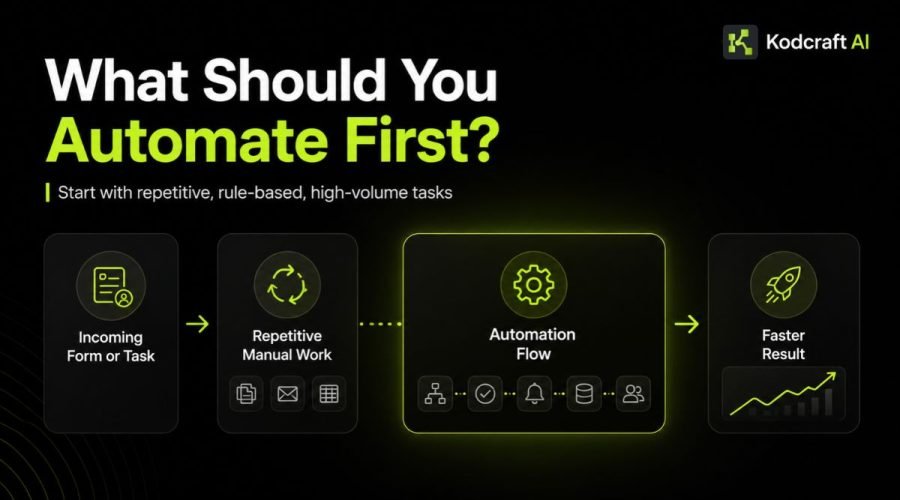
Business process automation can save time, reduce repetitive work, and help information move more reliably between people and systems.
But that does not mean every process should be automated.
In fact, one of the most important automation decisions happens before choosing any software:
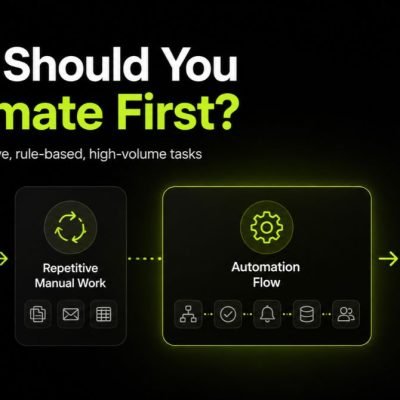
Which business process should you automate first?
The best place to start is usually a process that happens frequently, follows reasonably clear rules, consumes meaningful manual time, and creates a measurable problem when it is delayed or done incorrectly.
Think about repetitive data entry, internal handoffs, routine notifications, approval steps, status updates, or moving the same information between different systems.
The goal is not to automate as much work as possible.
The goal is to remove the right manual work first.
This guide explains how to identify those opportunities, compare them, and choose a first automation project that can create practical business value without making your operations more complicated.
If you are exploring the wider topic, visit our Automation & Integration Guides for resources covering workflows, APIs, integrations, webhooks, connected systems, and practical AI.
Quick answer
Quick Answer: What Should a Business Automate First?
Start with a process that is repetitive, high enough in volume to matter, based on clear rules, and currently consuming unnecessary time or causing avoidable delays or errors.
A strong first automation candidate usually has several of these characteristics:
- it happens regularly;
- the steps are mostly predictable;
- employees repeat the same manual actions;
- information is copied between systems;
- waiting for updates creates delays;
- errors cause rework;
- the process has a clear start and finish;
- success can be measured;
- unusual cases can still be sent to a person.
For many small teams, a simple example might be:
Website inquiry → Create CRM record → Assign lead → Notify salesperson → Create follow-up task
The individual steps are not complicated.
The value comes from removing repeated manual coordination every time a new inquiry arrives.
What Is Business Process Automation?
Business process automation, or BPA, is the use of software to automate repeatable activities within a business process.
A business process is simply a sequence of activities used to reach a business outcome.
Examples include:
- processing a new lead;
- onboarding a customer;
- approving a request;
- preparing a quote;
- handling an order;
- updating project status;
- collecting information;
- processing documents;
- generating recurring reports.
Automation can handle some or all of the repeatable steps inside those processes.
IBM’s overview of workflow automation provides additional background on how software can automate repeatable workflow activities.
The important point is that business process automation is not the same as removing people from a process.
A well-designed automated process may still include human decisions, reviews, approvals, conversations, or exception handling.
Software handles the steps that software can perform reliably.
People stay involved where their judgment is useful.
Business Process Automation vs Workflow Automation
The terms are closely related and are sometimes used interchangeably.
But it can help to think about them at different levels.
Workflow Automation
Workflow automation usually focuses on the movement of tasks, information, or actions through a particular workflow.
For example:
New form submission → Send notification → Create task
Business Process Automation
Business process automation can cover a broader process involving multiple workflows, systems, people, and business rules.
For example:
Lead captured → Qualified → Assigned → Followed up → Proposal created → Approved → Customer onboarded
Several individual workflows may exist inside that larger process.
You do not need to worry too much about the terminology when planning your first automation.
Start with the actual business problem.
Why Automating Everything Is Usually the Wrong Goal
Automation is attractive because repetitive work is frustrating.
Once a business sees one workflow running automatically, it is easy to start looking for ways to automate everything.
That can create a different problem.
You end up with:
- unnecessary workflows;
- complicated dependencies;
- difficult maintenance;
- too many notifications;
- unclear ownership;
- automations nobody understands;
- broken processes running automatically.
Automation makes a process faster.
That is useful when the process is good.
It is less useful when the process itself does not make sense.
Before automating anything, ask:
If we had to perform this process manually tomorrow, would everyone agree on how it should work?
If the answer is no, the first step may be process improvement rather than process automation.
Prioritization signals
7 Signs a Process Is a Good Candidate for Automation
You do not need sophisticated analysis to identify your first opportunities.
Look for these signals.
1. The Process Happens Frequently
A task that happens once every six months may not justify an automation project.
A smaller task performed 50 times every week might.
Frequency creates leverage.
Saving three minutes once is not particularly valuable.
Saving three minutes hundreds of times can become meaningful.
Before automating, estimate how often the process actually occurs.
2. The Steps Are Predictable
Automation works particularly well when a process follows recognizable rules.
For example:
If a form contains Service A → assign it to Team A.
If an invoice is paid → change the account status to Paid.
If approval is granted → move the request to the next stage.
The more predictable the process is, the easier it usually is to automate reliably.
Processes where every case requires a completely different decision may need more human involvement.
3. People Are Re-entering the Same Information
Repeated data entry is one of the clearest signals.
For example:
A customer submits their name, email, company, and requirements through your website.
Someone then manually copies that information into:
- a CRM;
- a spreadsheet;
- a project management system;
- an email;
- another internal database.
The information already exists.
The problem is that your systems are disconnected.
In many cases, the better solution is to connect them.
APIs are one way applications can exchange information programmatically. If you want a technical introduction, AWS provides a useful explanation of APIs.
4. The Process Regularly Waits for Someone
Not every automation opportunity involves data entry.
Some involve waiting.
A process may stop because someone needs to:
- tell another person something is ready;
- remind someone about an approval;
- create the next task;
- send a status update;
- follow up after a set period;
- move information to the next system.
These handoffs often look small when considered individually.
Across hundreds of transactions, they can become operational bottlenecks.
5. Manual Errors Create Rework
People make mistakes.
That does not automatically mean people should be removed from the process.
But tasks such as copying values, renaming files, updating statuses, creating standard records, or performing routine calculations can often be completed more consistently by software.
The stronger the cost of correcting those mistakes, the more valuable an automation opportunity may become.
6. The Process Uses Clear Business Rules
Processes based on agreed rules are easier to automate than processes based entirely on individual judgment.
Imagine an incoming inquiry.
Your rules might be:
Philippines → PH Sales Team
International → International Sales Team
Existing customer → Account Manager
Support request → Support Queue
Those rules can be encoded.
The unusual cases can still be sent to a person.
7. You Can Measure Whether It Improved
Automation is easier to justify when you know what improvement looks like.
Useful measures might include:
- time spent per transaction;
- total processing time;
- number of manual steps;
- response time;
- error rate;
- number of handoffs;
- turnaround time;
- number of requests processed;
- percentage requiring manual intervention.
If there is no way to tell whether the new workflow is better, it becomes harder to know whether the automation was worth building.
Decision framework
A Simple Framework for Choosing What to Automate First
Businesses often identify several automation opportunities at once.
The challenge becomes deciding which one deserves attention first.
You can compare candidates using six factors.
| FactorAsk This Question | |
|---|---|
| Frequency | How often does this process happen? |
| Manual effort | How much employee time does it consume? |
| Rule clarity | Are the steps and decisions reasonably predictable? |
| Business impact | What happens when this process is delayed or incorrect? |
| Technical readiness | Is the required information available and reasonably structured? |
| Exception rate | How often does the normal process need special handling? |
Give each factor a simple score from 1 to 5.
A process that scores highly for frequency, manual effort, rule clarity, impact, and technical readiness while having relatively few unusual exceptions is often a stronger starting point.
You do not need a complicated mathematical model.
The scorecard simply forces the team to compare opportunities using the same questions.
Step 1: Map the Process Before You Automate It
Before building anything, write down what happens today.
You should be able to identify:
Trigger What starts the process?
Input What information does the process need?
Steps What happens after the process begins?
People Who is involved?
Systems Which applications or spreadsheets are used?
Decisions Where does someone need to choose what happens next?
Exceptions What unusual cases occur?
Output What should exist when the process is finished?
Consider a simple lead process.
Current Process
- Someone completes a website form.
- The form sends an email.
- An employee reads the email.
- The employee copies the details into a spreadsheet.
- Someone decides who should handle the lead.
- That person receives a message.
- A follow-up task is created.
- The salesperson contacts the lead.
- The spreadsheet is updated.
Writing the process down immediately reveals several possible automation points.
But you should not automatically automate all nine steps.
Step 2: Find the Manual Work That Adds the Least Value
Some manual work exists because a person genuinely needs to think.
Other manual work exists only because two systems do not communicate.
That distinction matters.
In the lead example, a salesperson talking to the prospect may create real value.
Copying the person’s email address from one application into another probably does not.
Ask:
Does a person need to perform this step because their judgment matters, or because our systems require them to do it?
The second group is usually where the strongest automation opportunities appear.
Step 3: Measure the Current Baseline
Before changing the workflow, collect enough information to understand the current process.
You do not need months of analytics.
Even a small sample can be useful.
Consider measuring:
- how many times the process occurs each week;
- average manual time required;
- average waiting time;
- how many employees touch the process;
- how often something needs correction;
- where delays happen;
- how many systems are involved.
Suppose a routine task takes eight minutes and happens 150 times per month.
That is:
150 × 8 minutes = 1,200 minutes
or:
20 hours of manual work per month
If automation reduces that work to two minutes of human review, you now have a much clearer reason for improving it.
This does not mean every saved hour becomes direct financial profit.
It means you have a measurable operational baseline.
Step 4: Automate the Smallest Valuable Part First
One of the safest approaches is to start with a focused improvement rather than rebuilding the entire operation.
Instead of:
Automate our entire sales process
start with:
Automatically capture new website leads, add them to the CRM, assign an owner, and create a follow-up task.
The second version is:
- clearer;
- easier to test;
- easier to measure;
- easier to troubleshoot;
- easier for employees to understand.
Once that workflow works reliably, you can evaluate the next bottleneck.
Good automation can grow in stages.
Step 5: Keep Human Checkpoints Where They Matter
Automation does not have to be completely hands-off.
A workflow can pause when human review is useful.
For example:
Document received → Extract information → Human verifies → Update system
or:
Quote generated → Manager reviews → Approved quote sent
or:
AI classifies support request → Low-confidence result sent to employee → Employee confirms category
This can provide much of the efficiency of automation while keeping important decisions under human control.
Step 6: Plan for Exceptions
Real business processes rarely behave perfectly.
A form may be missing information.
An API may be unavailable.
A payment may fail.
A customer may not fit any normal category.
A duplicate record may already exist.
An approval may expire.
A good automated process should answer:
What happens when the normal workflow cannot continue?
Possible responses include:
- notify a person;
- place the record into a review queue;
- retry the action;
- log the error;
- request missing information;
- stop the workflow safely.
An automation that works only when everything goes perfectly is not ready for real business use.
Step 7: Measure the Result
After launching the automation, compare it with the original process.
Look at questions such as:
- Did processing become faster?
- Were manual steps reduced?
- Did employees spend less time on repetitive work?
- Did errors decrease?
- Are customers receiving faster responses?
- Did a new bottleneck appear somewhere else?
- How often does the workflow fail?
- How often does someone still need to intervene?
Automation should be treated as a business improvement, not simply a technical feature.
Practical starting points
Good First Automation Examples
The best first project depends on the business, but several types of work are often worth reviewing.
Lead Capture and Routing
Instead of manually reading every incoming form and deciding what happens next:
Form → CRM → Classification → Assignment → Notification → Follow-up task
A person can still handle the actual sales conversation.
Internal Notifications and Handoffs
When one stage of work is completed:
Status changes → Notify next person → Create task → Set due date
This reduces the chance that work quietly sits between departments.
Simple Approval Processes
Instead of chasing decisions across email and chat:
Request submitted → Approver notified → Decision recorded → Requester updated → Next step triggered
Human approval remains.
The surrounding administration becomes automated.
Moving Information Between Systems
A new customer record might need to appear in several places.
Instead of manually copying it:
CRM → Project system → Billing system → Internal database
Whether this is practical depends on the integrations available between the systems.
Recurring Reports
If someone repeatedly gathers the same information from the same systems, formats it, and distributes it, some of those preparation steps may be automated.
The interpretation of the report may still belong to a person.
Avoid these first
What Should You NOT Automate First?
Finding good automation opportunities also means knowing when to leave something alone.
A Process Nobody Understands
If three employees describe the workflow in three completely different ways, do not automate it yet.
Define the process first.
A Process That Changes Every Week
Automation depends on rules.
If the rules are still being redesigned constantly, you may spend more time updating the automation than using it.
Rare Tasks With Little Business Impact
A process can be easy to automate but still not be worth automating.
Technical possibility is not the same as business priority.
Work That Depends Heavily on Human Judgment
Some decisions involve context, relationships, negotiation, ethics, strategy, or unusual circumstances.
Automation can support those decisions without necessarily making them.
A Process Built on Poor Data
Automation can move incorrect information extremely efficiently.
If records are incomplete, duplicated, inconsistent, or stored without clear structure, cleaning the data may need to happen first.
A Broken Process
If customers are confused, employees use unofficial workarounds, responsibilities are unclear, and nobody trusts the output, automation will not repair the underlying design.
Simplify the process first.
Then decide what should be automated.
Should You Automate a Task or the Entire Process?
Usually, start with the task.
Imagine customer onboarding involves:
- confirming payment;
- creating the customer record;
- sending the welcome email;
- creating a project;
- assigning the project manager;
- collecting documents;
- reviewing requirements;
- scheduling kickoff.
Some steps are simple and predictable.
Others need discussion and judgment.
You might automate steps 1 through 6 while leaving requirements review and kickoff planning to the team.
That can still create a meaningful improvement without trying to remove people from the entire process.
Rule-Based Automation or AI?
Not every automation needs artificial intelligence.
If the process is:
When X happens, perform Y
normal automation is often enough.
For example:
When payment succeeds → mark invoice paid.
When a form is submitted → create a CRM record.
When status changes → notify the project manager.
AI becomes more useful when a workflow needs to interpret less structured information.
For example:
Email received → AI identifies topic → Route to correct team
or:
Document uploaded → AI extracts information → Human verifies → Save values
The decision should come from the task.
Do not add AI simply because AI is available.
For deeper information about practical uses of AI, explore our Practical & Applied AI for Business resources.
Where Integrations Fit Into Business Process Automation
Many automation projects are really integration projects underneath.
Your business might already have:
- a CRM;
- Google Sheets;
- a payment platform;
- a website;
- email;
- project management software;
- accounting software;
- an internal database.
The problem is not necessarily that any one tool is bad.
The problem may be that employees are acting as the connection between them.
Integrations can allow systems to exchange information without requiring someone to manually carry it across.
Microsoft’s Power Automate documentation provides examples and guidance for creating automated flows across applications and services.
The exact technology is less important than the workflow.
Start with what needs to happen.
Choose the implementation afterward.
When Simple Automation Is Enough
You may not need custom software when:
- the tools you already use provide suitable integrations;
- the workflow has only a few steps;
- the business rules are straightforward;
- there are few exceptions;
- an existing automation platform can handle the requirement cleanly;
- your team does not need a custom interface.
This is often the fastest route to improvement.
Kodcraft AI’s approach is not to make every automation into a large custom development project.
The simplest reliable solution is usually the better starting point.
When Automation Starts Becoming a Custom System
Sometimes a workflow grows beyond a few connected actions.
You may begin needing:
- multiple user roles;
- custom permissions;
- a dedicated dashboard;
- complex business rules;
- centralized records;
- custom approval logic;
- audit history;
- many connected systems;
- specialized reporting;
- customer or employee portals;
- custom interfaces;
- data that needs to live in one controlled system.
At that point, adding more individual automations may make the operation harder to manage.
A custom internal tool or custom application may provide a cleaner foundation, with automation working behind the scenes.
This is why it helps to diagnose the business problem before choosing the technology.
Business Process Automation Example
Consider a service business that receives quote requests through its website.
Before Automation
A customer submits a form.
An employee:
- receives the email;
- opens a spreadsheet;
- creates a new row;
- copies the customer’s information;
- sends the request to the correct salesperson;
- creates a follow-up reminder;
- tells the customer the request was received;
- updates the spreadsheet later.
None of those individual actions is difficult.
The problem is that the same administration happens for every inquiry.
After Automation
The workflow becomes:
Quote request submitted
↓
Customer record created
↓
Request categorized
↓
Assigned to salesperson
↓
Follow-up task created
↓
Confirmation sent
↓
Team notified
The salesperson still reviews the request, talks with the customer, and prepares the right solution.
Automation removes the administration around that work.
That is usually a healthier way to think about business automation.
Value check
How to Estimate Whether an Automation Is Worth It
You do not need a complicated ROI model for your first review.
Start with four numbers:
1. Frequency
How many times does the process happen?
2. Manual Time
How many minutes of human work does each occurrence require?
3. Potential Time Saved
How much of that work could reasonably disappear?
4. Business Impact
What else improves if the process becomes faster or more reliable?
A basic estimate is:
Monthly manual hours = process frequency × manual minutes ÷ 60
Then compare the current state with the expected automated state.
Also consider benefits that may be harder to express as hours:
- faster customer response;
- fewer missed follow-ups;
- more consistent data;
- fewer errors;
- better visibility;
- easier reporting;
- better employee experience.
Automation should solve a business problem, not simply generate an impressive technical demo.
Before you build
A Practical Business Process Automation Checklist
Before choosing your first automation, ask:
- Does this process happen often enough to matter?
- Are the main steps understood?
- Are the business rules reasonably clear?
- Are employees performing repetitive manual actions?
- Is information being copied between systems?
- Are delays caused by handoffs or notifications?
- Do manual mistakes create meaningful rework?
- Is the necessary data available?
- Can unusual cases be identified?
- Can those exceptions be handled by a person?
- Can we measure the current process?
- Can we define what success looks like?
- Can we start with a smaller part of the workflow?
- Is there someone responsible for maintaining the process after launch?
If several answers are no, more process work may be needed before automation begins.
Who Should Be Involved in an Automation Project?
The person building the automation should not be the only person designing the workflow.
The people who actually perform the work often know details that are invisible from the outside.
Depending on the process, useful participants may include:
- the process owner;
- employees who perform the work;
- whoever receives the output;
- someone responsible for the systems involved;
- the person designing or developing the automation.
This helps uncover exceptions early.
It also reduces the risk of building a technically correct automation around an inaccurate understanding of the real process.
Business Process Automation for Small Businesses
Business process automation is not only for large companies.
Small teams can sometimes benefit even more because repetitive administration consumes a larger share of limited staff capacity.
You also do not need to begin with a large digital transformation project.
A small business might start by improving:
- inquiry handling;
- appointment confirmations;
- internal task creation;
- approval reminders;
- customer onboarding;
- recurring reporting;
- simple data synchronization.
The first automation should be small enough to understand but valuable enough to notice.
Then you can build from what you learn.
Our approach
How Kodcraft AI Approaches Automation
At Kodcraft AI, we start with the workflow rather than the automation platform.
The first questions are usually:
What happens today?
Where does the process slow down?
Which actions are being repeated?
Which systems are involved?
Where is human judgment still useful?
What would a better outcome look like?
Only after those questions are clear does it make sense to decide whether the solution should use an existing integration, an automation platform, APIs, a custom workflow, an internal tool, practical AI, or a combination of them.
Our development process uses modern AI-assisted tools to speed up implementation and iteration while keeping human planning, review, testing, optimization, and project handoff in the process.
You can learn more about that approach on How Kodcraft AI Builds.
When to Consider Workflow Automation Services
You may benefit from professional Workflow Automation Services when:
- several systems need to work together;
- the workflow contains custom business rules;
- important information needs to move reliably between applications;
- manual processes are becoming difficult to manage;
- existing automation tools do not fit the workflow cleanly;
- you need APIs or webhooks;
- the automation needs proper error handling;
- the workflow needs to be tested before it becomes operational;
- you need help deciding whether automation or custom development makes more sense.
The objective should still be the same:
Build the simplest reliable solution that removes meaningful friction from the business.
FAQ
Frequently Asked Questions
What is business process automation?
Business process automation is the use of software to automate repeatable steps inside business processes. It can include moving data, updating records, routing work, triggering notifications, managing approvals, generating documents, and coordinating actions between different systems.
What business process should I automate first?
Start with a process that happens frequently, follows clear rules, consumes significant manual time, and produces a measurable benefit when improved.
Repetitive data entry, routine handoffs, notifications, status changes, and simple approvals are common starting points.
What is the easiest business process to automate?
The easiest processes are normally predictable workflows with structured information, clear triggers, simple rules, and few exceptions.
However, the easiest process is not always the most valuable one. Look for a balance between ease of implementation and business impact.
Should I automate a broken process?
Usually not.
If responsibilities, steps, or business rules are unclear, improve the process first. Automation can make a good process more efficient, but it can also make a poorly designed process fail faster.
Can small businesses use business process automation?
Yes.
Small businesses can start with focused workflows such as lead handling, notifications, onboarding, approvals, recurring reports, or moving information between existing tools.
Automation does not have to begin as a large software project.
Does business process automation require AI?
No.
Many valuable automations use straightforward triggers, conditions, rules, and integrations.
AI is more useful when part of the workflow involves less structured information such as documents, email content, classification, extraction, or summarization.
Do I need custom software for business process automation?
Not always.
Existing automation platforms may be enough for straightforward workflows.
Custom development becomes more useful when you need specialized business logic, custom interfaces, advanced permissions, complex integrations, centralized data, or functionality that standard tools cannot provide cleanly.
How do I measure whether automation is successful?
Compare the automated process with the original baseline.
Useful measures include manual hours, processing time, response time, error rate, number of handoffs, throughput, and frequency of manual intervention.
Choose measures that reflect the business problem the automation was intended to solve.
What is the difference between automation and integration?
An integration allows systems to exchange information or actions.
Automation determines what should happen based on a trigger, condition, schedule, or business rule.
Many useful automated workflows rely on integrations because several applications need to participate in the same process.
Next resources
Continue Learning About Automation & Integrations
Business process automation is only one part of building more connected operations.
Explore the Automation & Integration Guides to learn more about workflow automation, APIs, webhooks, connected business systems, Google Sheets automation, and practical AI workflows.
If the problem is less about connecting existing software and more about replacing spreadsheets or fragmented internal operations, our Business Systems & Internal Operations Guides may be a better next step.
Start with the process
Have a Process You Think Should Be Automated?
You do not need to know which automation platform, API, database, or development tool you need.
Start by explaining the process.
Tell us:
what starts it, what your team does manually, which systems are involved, where delays happen, and what you want to improve.
Kodcraft AI can help determine whether the practical answer is a simple integration, workflow automation, internal tool, custom application, or a combination of them.
No technical specification needed. Start with the process and the problem behind it.