Custom Apps & Internal Tools

Software Built Around the Way Your Business Actually Works

Off-the-shelf software is useful when your process fits the software. The problem starts when your team has to redesign its workflow around a tool that was never built for the way you operate.

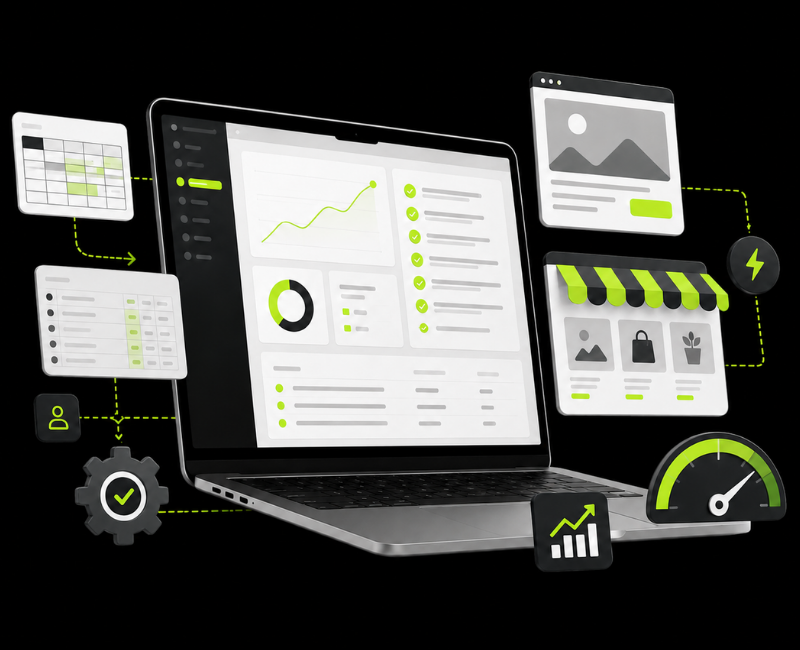
Kodcraft AI builds custom apps and internal tools around specific business processes.

That could be a dashboard replacing several spreadsheets, a quote builder that applies your pricing rules automatically, an internal CRM built around your actual sales process, or a portal that gives your team one place to manage important information.

The goal is simple: build the tool your business actually needs.

The Basics

Custom Software, Without the Unnecessary Complexity

Custom development is useful when a business needs software to fit a real workflow, user group, or operating problem rather than forcing the business into a generic process.

02

What Is an Internal Tool?

An application designed to help your team perform work.

Unlike a public website, an internal tool is designed primarily for people inside a business. Its main job is usually to make a workflow clearer, faster, and easier to manage.

  • Internal dashboards
  • Admin panels
  • Operations systems
  • Quote builders
  • Proposal generators
  • Internal CRM systems
  • Lead trackers
  • Approval workflows
  • Employee portals
  • Job management systems
  • Inventory tools
  • Reporting interfaces
Internal tools do not need hundreds of features. They need the right features for the people who use them.

Common Builds

Custom Apps We Build Around Real Workflows

The interface can be simple. The important part is that the logic, information, permissions, and actions match the way the work needs to happen.

Placeholder interface example for a business dashboard and tracking application

Visibility

Dashboards & Trackers

Bring important information into one interface instead of checking several spreadsheets, inboxes, or software tools.

Dashboards can help teams monitor work, customers, projects, leads, orders, or other business information.

Placeholder interface example for a quote and proposal builder

Consistency

Quote & Proposal Builders

Turn pricing rules, service options, quantities, and business logic into a repeatable quoting process.

Your team enters the required information and generates a consistent result without manually calculating every quote.

Placeholder interface example for a custom internal CRM system

Sales & Operations

Internal CRM Systems

Not every business needs a large CRM platform. A custom internal CRM can focus on the information and actions that actually matter to your sales or operations team.

Placeholder interface example for a custom admin panel

Control

Admin Panels

Give authorized users a practical interface for managing content, records, users, settings, or business processes.

Placeholder interface example for a customer or client portal

Self-Service

Customer & Client Portals

Create a secure place for customers or clients to view relevant information, submit requests, access resources, or interact with your business.

Placeholder interface example for a custom business operations system

Connected Work

Operations Systems

Bring several related business processes into one application, such as customer records, job progress, assignments, statuses, internal notes, and reporting.

Placeholder interface example for a custom calculator or business utility

Business Logic

Custom Calculators & Business Utilities

Turn repeated calculations, business rules, pricing formulas, or decision logic into a dedicated tool.

When to Consider It

Signs You May Need a Custom Internal Tool

A custom solution becomes worth evaluating when workarounds start consuming time, creating duplicate data, or limiting how much work the business can handle.

!

Not every manual process needs custom software. Part of good scoping is deciding whether the problem is large enough to justify building something.

01

One spreadsheet has become several spreadsheets.

02

Employees repeatedly copy information between systems.

03

Staff rely on manual calculations.

04

Important information is difficult to find.

05

Existing software includes too much functionality but still misses important features.

06

Approvals happen through long email threads.

07

Your team maintains the same information in multiple places.

08

A manual process limits how much work the business can handle.

09

Your workflow is unusual enough that generic software creates constant workarounds.

Choose the Simplest Fit

Do You Need an App, SaaS, or Automation?

The goal is not to build custom software by default. The goal is to choose the least complicated solution that supports the business cleanly.

A Buy when it already fits

Custom App or SaaS?

SaaS is often the better choice when an existing product already handles your requirements well.

Custom development becomes more useful when the business has specific workflows, calculations, permissions, integrations, or processes that generic software cannot support cleanly.

Are you adapting your business to the software, or is the software supporting your business?
Read: Custom App vs SaaS
B Automate when no interface is needed

Custom App or Workflow Automation?

If the main problem is moving information between tools or triggering repeated actions, workflow automation may solve it with less complexity.

An app becomes more appropriate when users need a dedicated interface, database, permissions, workflow logic, dashboards, or ongoing interaction with the system.

Some projects need both. An internal CRM may provide the interface while automations send notifications, synchronize data, and trigger follow-up actions.

Explore Workflow Automation
1Start with the problemWhat is slowing the work down?
2Check existing toolsCan SaaS solve it cleanly?
3Choose the right buildApp, automation, or both.

How We Build

A Focused Custom App Development Process

We start with how the work happens today, then define what actually needs to change before development begins.

01

Discovery

We begin with the business problem: what the team does now, where the process slows down, who needs access, and which steps should stay manual or be simplified.

02

Scope

We identify the essential features so a useful internal tool does not become an unnecessarily large software project.

03

Build

We use modern AI-assisted development workflows to accelerate implementation and iteration while maintaining human oversight.

04

Review & Testing

We check key workflows, interfaces, logic, permissions, integrations, responsive behavior, and important edge cases relevant to the project.

05

Launch & Handoff

After testing, the application can be deployed and project access handed over with the essential information required to understand the build.

See the full Kodcraft AI build process

AI-Assisted, Human-Directed

Built With AI Assistance, Directed by People

AI can make software development faster. It does not remove the need to understand the business process first.

Kodcraft AI uses AI-assisted development tools to accelerate parts of implementation, troubleshooting, research, and iteration.

We do not position one-prompt generation as a complete development process.

How AI-assisted development fits our process
  • Proper scope
  • Business logic
  • Usability
  • Data structure
  • Integrations
  • Testing
  • Performance
  • Maintainability
  • Project handoff

Who This Is For

Built for Teams That Have Outgrown Workarounds

Custom apps and internal tools make the most sense when a focused system can remove recurring friction from a meaningful business process.

01

Small businesses with spreadsheet-heavy workflows

02

Service businesses managing jobs or clients

03

Startups building operational systems

04

Agencies managing recurring internal processes

05

Teams with unusual approval workflows

06

Businesses needing custom pricing or quoting logic

07

Companies that cannot find an off-the-shelf tool that fits

08

Growing teams replacing manual processes before they become larger problems

FAQ

Questions About Custom Apps & Internal Tools

Start with the business problem, not a technical specification. The right architecture, integrations, and feature scope can be determined from there.

What types of internal tools can you build?

Examples include dashboards, trackers, internal CRMs, admin panels, quote builders, proposal tools, approval systems, customer portals, employee portals, and lightweight operations systems.

Can you replace an existing spreadsheet?

Possibly. If a spreadsheet has become difficult to manage, requires repeated manual work, or is being used like an application, a custom internal tool may provide a more structured alternative.

Do I need a large budget for an internal tool?

Not necessarily. Internal tools can be scoped around one important workflow rather than trying to replace every system inside the business at once.

Can an internal tool connect with other software?

Yes, when the other service provides an appropriate API, webhook, or integration method. Integrations should be reviewed during project scoping.

Can AI be added to an internal tool?

Yes, where it has a clear purpose. Examples include summarization, extraction, classification, drafting, search, or processing unstructured information.

Explore Practical AI Development
Will I receive access to the project?

Yes. Kodcraft AI's current service approach includes project access and a proper handoff after delivery.

Start With the Workflow

Have a Process That Has Outgrown Spreadsheets?

Tell us how the process works today. You do not need to know what the software should look like yet.

We can start with the workflow, identify the bottlenecks, and determine whether a custom app, internal tool, automation, or simpler solution makes the most sense.

Partner with Kodcraft-AI to Build Something Small That Matters

Kodcraft AI helps founders, startups, small teams, and growing businesses transform ideas, workflows, and digital goals into custom applications, workflow automations, internal tools, landing pages, and high-performance websites.

Recognized by Trusted Platforms

Ask AI about Kodcraft AI

© 2026 Kodcraft AI. All rights reserved.

Kodcraft AI is a service line operated by JDWebcraft Web Development Services· DTI & BIR Registered · Philippines