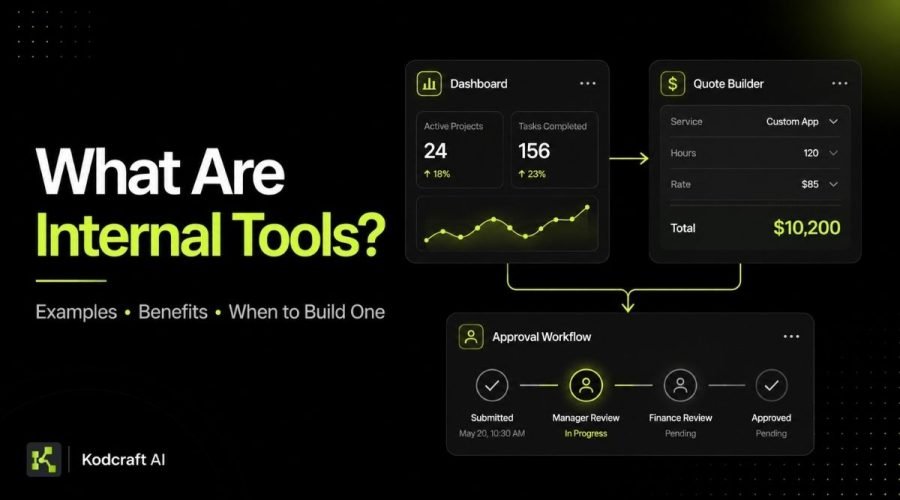
Internal tools are applications that help people inside a business complete their work.
They can be as simple as a quote calculator used by a sales team or as structured as an operations system that manages customers, jobs, approvals, documents, and reporting.
Unlike a customer-facing website or public app, an internal tool is mainly designed for employees, managers, contractors, administrators, or other approved users.
Businesses often turn to internal tools when spreadsheets, email, shared documents, or general software no longer support a process clearly.
But building custom software is not always the answer.
The important question is not simply, “Can this be turned into an app?”
It is:
“Would a better internal system make this recurring business process easier, clearer, or more reliable?”
This guide explains what internal tools are, practical examples, their benefits, where they fit alongside automation and SaaS software, and how to decide when building one makes sense.
In short
Quick Answer: What Is an Internal Tool?
An internal tool is software used mainly by people inside an organization to manage business processes, information, decisions, or recurring tasks.
Common examples include:
- internal CRMs
- admin dashboards
- quote builders
- approval systems
- employee portals
- operations trackers
- inventory tools
- reporting dashboards
- project management systems
- document processing tools
An internal tool can be completely custom, built with a low-code platform, or created by connecting existing systems.
What makes it an internal tool is not the technology used.
It is who uses it and what business process it supports.
Plain-English explanation
Internal Tools Explained in Plain English
Imagine a service business where every new inquiry follows the same general process.
- A salesperson receives customer information.
- They copy it into a spreadsheet.
- They open another document to check pricing.
- They calculate a quote.
- The quote is emailed to a manager for approval.
- After approval, another team member updates the customer status.
- Later, someone manually combines information from different spreadsheets to create a monthly report.
None of these steps are unusual.
The problem is that the process depends on several tools, repeated data entry, and people remembering what to do next.
An internal tool could bring the important parts of that workflow together.
The salesperson might enter the customer information once. Pricing rules could be applied automatically. The manager could approve the quote inside the same system. The status could update immediately, and reporting data could already be available.
The goal is not necessarily to automate everything.
The goal is to give the people doing the work a clearer system.
Microsoft describes Power Apps as a platform for creating custom business applications that can support processes, data, workflows, and different user roles. This is one example of how businesses can create tools around their own operational needs rather than relying only on general-purpose software. Explore Microsoft Power Apps.
What Are Internal Tools Used For?
Internal tools usually solve operational problems rather than marketing problems.
A public website may help customers understand your company.
An internal tool helps your team run part of the company.
They are commonly used to organize information, standardize repetitive work, reduce unnecessary manual steps, improve visibility, and give employees a clearer way to complete recurring tasks.
For example, an internal system could help a team answer questions such as:
When people regularly have to ask these questions because information is scattered across spreadsheets, email, chat, or different applications, the underlying business system may need improvement.
For broader guides on these operational problems, visit our Business Systems & Internal Operations hub.
Common use cases
9 Common Examples of Internal Tools
Internal tools can take many forms because they are usually shaped around a specific business process.
Here are some of the most common examples.
Internal CRM
An internal CRM helps a team manage customer or prospect information.
It may include:
- contact details
- sales stages
- follow-up tasks
- notes
- communication history
- assigned team members
- customer status
- documents
Large CRM platforms can be powerful, but smaller businesses sometimes need a more focused system built around a simpler workflow.
For a deeper look at this use case, see our upcoming guide to Internal CRM Development for Small Teams.
Admin Dashboard
An admin dashboard gives authorized users a central place to view and manage information.
It may show:
- current jobs
- customer activity
- requests
- transactions
- pending approvals
- performance metrics
- alerts
- recent system activity
A useful dashboard should not simply display as much data as possible.
It should help a specific user understand what matters and what they may need to do next.
Read more in What Should a Custom Admin Dashboard Include?.
Quote Builder
A quote builder can help businesses that repeatedly calculate prices using products, services, quantities, options, discounts, or other pricing rules.
Instead of checking several spreadsheets and calculating every quote manually, a team member can enter the required information and allow the system to apply predefined rules.
The result may then be reviewed, saved, exported, or sent to the customer.
This can be useful for businesses where quoting is frequent enough that manual calculations create unnecessary work or inconsistency.
See How a Custom Quote Builder Can Reduce Manual Pricing Work for a more detailed example.
Approval System
Approval processes often begin simply.
Someone emails a manager.
The manager responds.
Another person updates a spreadsheet.
As the company grows, that can become harder to track.
An approval system can provide a structured process where users submit requests, reviewers approve or reject them, comments are recorded, notifications are sent, and the status remains visible.
This can be useful for purchasing requests, expenses, project approvals, pricing exceptions, content approval, leave requests, or internal documents.
Operations Tracker
An operations tracker helps a team follow work through different stages.
For example:
New → Assigned → In Progress → Waiting → Completed
The exact stages depend on the business.
A computer repair company might track devices and repair jobs.
A service company might track client projects.
A logistics company might track deliveries.
A marketing team might track campaign requests.
The value comes from creating a shared view of what is happening rather than keeping the status in individual messages or spreadsheets.
Internal Portal
An internal portal gives selected users one place to access information and complete tasks.
It might contain:
- forms
- documents
- company resources
- employee requests
- account information
- project records
- reporting
- internal announcements
- workflow actions
Portals can be especially useful when several types of information or tools need to be accessible from one location.
Inventory or Asset Management Tool
An internal inventory system can help track physical products, equipment, company assets, supplies, or other items.
Depending on the business, it might include quantities, locations, assignments, status, purchase information, or maintenance records.
Not every company needs dedicated inventory software.
But when important information is spread across multiple spreadsheets or updates are frequently missed, a more structured system may help.
Reporting Tool
A reporting tool can collect important business information and present it in a more useful format.
Instead of employees manually combining spreadsheets every week or month, the system may pull information from a database or connected tools and generate the required views.
The most useful reporting tools answer specific business questions rather than simply creating more charts.
Document Processing Tool
Some internal systems are designed around documents rather than traditional database records.
For example, a business may need to:
- upload documents
- extract important information
- classify files
- route them for review
- approve or reject them
- attach them to customer records
- search them later
AI can sometimes help with extraction, summarization, tagging, or classification, but the workflow around the AI is usually just as important as the AI feature itself.
For practical AI use cases, explore our Applied AI Guides.
Operational problems
What Problems Do Internal Tools Solve?
A custom internal tool is most valuable when it removes a real operational problem.
It should not exist simply because building an app sounds more modern than using a spreadsheet.
Common problems include repeated data entry, scattered information, inconsistent processes, manual calculations, weak visibility, difficult approvals, too many software workarounds, and tasks that depend heavily on one person remembering how everything works.
IBM explains business automation as coordinating people, applications, and systems to improve how business processes are performed. Internal tools often become one part of that larger system rather than replacing every application a company already uses. Read IBM’s overview of business automation.
The right goal is therefore not:
“Replace every manual step.”
A better goal is:
“Make the process easier to follow and remove the parts that create unnecessary work.”
Business value
What Are the Benefits of Internal Tools?
They Can Match the Way Your Team Actually Works
General-purpose software needs to serve many different businesses.
That flexibility is useful, but it can also mean your team has to adjust its workflow to match the software.
A focused internal tool can instead be designed around your actual process.
That might include your terminology, approval rules, pricing structure, user roles, stages, and reporting needs.
They Can Bring Scattered Information Together
When operational information lives in spreadsheets, email, chat, shared folders, and separate systems, people may spend unnecessary time searching for the latest version.
An internal tool can provide a more consistent place to view and manage the information required for a specific process.
That does not always mean moving every piece of company data into one system.
Sometimes the tool simply connects the most important information.
They Can Reduce Repetitive Work
Some business processes involve many small manual actions.
Copy this value.
Paste it somewhere else.
Send a message.
Change a status.
Create the same document again.
Notify another person.
These steps may only take a few minutes each, but the time adds up when they happen every day.
Automation can handle some of these actions while an internal tool provides the interface employees use to manage the overall process.
Atlassian describes automation as a way to replace repetitive manual work with defined workflows and rules. That same principle can be useful when planning internal systems, although not every task should be automated. Learn about Atlassian Automation.
They Can Make Processes More Consistent
If five employees perform the same task in five different ways, errors and confusion become more likely.
An internal application can provide a clearer sequence.
Required information can be collected before the process moves forward.
Pricing rules can be applied consistently.
Approvals can follow the correct order.
Statuses can use the same definitions.
The system becomes part of how the process is standardized.
They Can Improve Visibility
Managers often do not need another report.
They need a reliable answer to a practical question.
What work is waiting?
What has been completed?
Where are the delays?
Who owns the next step?
Which customers need attention?
A well-designed internal tool can make that information easier to see without requiring someone to manually create a report every time.
They Can Reduce Dependence on Individual Workarounds
Many growing companies have systems that work because one experienced employee knows where everything is.
That person may understand the spreadsheet formulas, file naming rules, manual calculations, or unusual steps required to keep the process running.
That knowledge is valuable, but it also creates risk when the process exists mostly in someone’s head.
A clearer internal system can help turn individual knowledge into a more repeatable workflow.
Decision guide
Internal Tools vs Workflow Automation
Internal tools and workflow automation are closely related, but they are not the same thing.
An internal tool gives people an interface for completing work.
Workflow automation allows certain actions to happen automatically.
Imagine a quote approval process.
The internal tool might allow a salesperson to create a quote and a manager to review it.
Automation might notify the manager when approval is needed, update the quote status after approval, generate a PDF, and send information to another system.
Many useful business systems combine both.
If your existing tools already work well and the main problem is that information has to be moved manually between them, you may need Workflow Automation Services rather than a completely new application.
You can also read Custom App vs Workflow Automation: Which Do You Need? for a deeper comparison.
Decision guide
Internal Tools vs SaaS
A common question is whether a business should build an internal tool or subscribe to existing SaaS software.
There is no universal answer.
SaaS may make more sense when:
The software already handles most of your requirements, the workflow is common across many businesses, setup is simple, and using the existing platform costs less than developing and maintaining something custom.
A custom internal tool may make more sense when:
Your workflow is unusual, your team relies on complicated workarounds, important systems need to be connected in a specific way, generic software contains too much unnecessary complexity, or the process creates enough repeated work that a focused system could deliver meaningful value.
There is also a middle ground.
You may use SaaS for accounting, payments, email, or customer communication while building one internal tool that connects the information your team actually needs.
Custom development does not have to mean rebuilding every system your company uses.
See our detailed guide to Internal Tools vs SaaS: Build or Buy? for a more complete decision framework.
Decision guide
Spreadsheet vs Internal Tool
Spreadsheets are useful business tools.
They are flexible, inexpensive, familiar, and fast to change.
A growing spreadsheet is not automatically a problem.
The issue appears when the process becomes more complicated than the spreadsheet can comfortably support.
That can happen when many people need to edit information, permissions become important, records need stronger relationships, formulas become difficult to maintain, data is repeatedly duplicated, or employees need a clear workflow rather than rows and columns.
A custom application can add structured forms, user roles, validations, workflows, database relationships, integrations, and a purpose-built interface.
But moving away from spreadsheets should solve a real problem.
If the spreadsheet still works well, replacing it simply for the sake of having an app may create unnecessary cost.
Read Spreadsheet to Custom App: When Is It Time to Upgrade? for a more detailed comparison.
When to build
When Should You Build an Internal Tool?
There is no single rule based on company size, revenue, or number of employees.
A ten-person company may have a strong reason to build one internal application.
A much larger company may continue using existing software successfully.
The better decision comes from the workflow.
Consider an internal tool when the same operational problem keeps happening.
One frustrating incident is usually not enough.
If the team repeatedly loses time because the same process is difficult, the problem becomes more worth solving.
Consider one when the workflow is important to the business.
A custom tool should usually support something meaningful.
That could be sales, service delivery, quoting, project operations, reporting, approvals, onboarding, inventory, or another process the business depends on regularly.
Consider one when existing software creates too many workarounds.
If employees constantly export data, maintain side spreadsheets, duplicate records, or create manual steps because the existing platform cannot support the workflow, a focused system may be worth evaluating.
Consider one when several people need a shared source of information.
Internal tools become particularly useful when several users need to see and update the same operational records.
Consider one when repetitive manual work is creating meaningful overhead.
A five-minute task performed once per month is probably not worth custom development.
A five-minute task repeated hundreds of times may be a different situation.
Frequency matters.
Consider one when the process can be explained clearly.
A system is easier to design when you understand what users need to do.
If the business process itself changes every week and nobody agrees on how it should work, software may simply lock confusion into a new interface.
Fix the process first.
When not to build
When Should You Not Build a Custom Internal Tool?
Knowing when not to build is important.
Custom development may not be the best answer when an inexpensive existing platform already solves the problem well, the process happens rarely, the workflow is still changing constantly, there is no clear owner for the system, or the expected benefit is too small to justify maintaining custom software.
You should also be careful about trying to solve a people or process problem only with technology.
For example, if approvals are slow because nobody knows who is responsible, building an approval application will not automatically fix unclear management responsibilities.
Sometimes the first solution is simply better documentation and a clearer process.
Technology should support a workable process rather than hide a broken one.
Planning framework
How Do You Plan an Internal Tool?
Before choosing a development platform or discussing features, map the workflow.
Start with five basic questions.
Who will use it?
Identify the actual users and their roles.
A manager may need different information and permissions from a salesperson or administrator.
What job are they trying to complete?
Focus on the outcome rather than the interface.
“Create a quote accurately” is more useful than “we need a dashboard.”
What information do they need?
Identify what data needs to be entered, viewed, updated, calculated, imported, or connected.
What decisions happen?
Some steps may follow clear rules.
Others may require human judgment.
Knowing the difference helps determine what should be automated.
What happens next?
Every important action usually creates another action.
If someone approves a request, what should happen afterward?
Understanding those transitions is what turns a collection of screens into a useful workflow.
What Features Can an Internal Tool Include?
The exact feature set depends on the process.
A typical internal business application might include secure user access, role-based permissions, forms, record management, search, filtering, dashboards, notifications, approval workflows, reports, document uploads, integrations, activity history, and automation.
Some systems may also include practical AI features such as document extraction, summarization, classification, drafting, or knowledge search.
The important principle is to avoid starting with a huge feature list.
Build around the workflow users need most.
Extra features can always be added later if the system proves useful.
AI and automation
Does an Internal Tool Need AI?
No.
An internal tool does not become more valuable simply because it contains AI.
Traditional business rules and automation are often more predictable for processes with clear logic.
For example:
If the order is above $5,000 → request manager approval.
That does not need AI.
AI becomes more useful when the task involves language, documents, classification, summarization, extraction, search, or other work where the input is less structured.
Examples might include:
- summarizing customer notes
- extracting fields from uploaded documents
- categorizing incoming requests
- drafting a response
- searching internal knowledge
- turning unstructured text into structured information
The best approach is to use AI when it improves the workflow, not simply because it is available.
Learn more in our Practical & Applied AI for Business resources.
Should You Build a Large Internal Platform or Start Small?
In many cases, starting with one focused workflow is safer.
Suppose a business eventually wants one system for sales, quoting, jobs, inventory, customer communication, payments, reporting, and employee management.
Trying to build all of that immediately creates a large amount of scope.
A more practical first step might be solving the biggest bottleneck.
Perhaps quoting currently causes the most manual work.
Build that workflow first.
Let people use it.
Learn what works.
Then decide whether connecting the next process makes sense.
This approach reduces unnecessary complexity and gives the business a chance to validate the system through actual use.
It also reflects how Kodcraft AI approaches many custom builds: define the business goal, keep the first scope focused, test it in real use, then expand where expansion creates value.
You can read more about that approach on How We Build.
Kodcraft AI approach
How Kodcraft AI Approaches Internal Tool Development
At Kodcraft AI, we do not begin with the assumption that every operational problem needs a large software platform.
We start with the workflow.
That means understanding the people involved, the information they use, where delays happen, what is repeated, what needs human judgment, and what outcome the business actually wants.
From there, the solution may be a focused internal application, an automation, an integration between existing tools, or a combination of those approaches.
Our development process uses modern AI-assisted development to accelerate implementation and iteration while keeping human planning, review, testing, optimization, and project handoff part of the process.
The goal is not simply to build software faster.
It is to build the right amount of software for the problem.
If your team is dealing with spreadsheet-heavy operations, manual tracking, complicated workarounds, or a process that no longer fits your existing software, explore our Internal Tool Development Services.
Practical example
A Simple Internal Tool Example
Consider a small service company that creates dozens of customer quotes every week.
Its current workflow looks like this:
- A customer submits an inquiry.
- An employee copies the information into a spreadsheet.
- They look up pricing in another file.
- They calculate costs manually.
- A manager reviews certain quotes through email.
- The employee creates a PDF.
- The quote is sent.
- A different spreadsheet records whether the customer accepted it.
This process technically works.
But it contains several repeated steps.
A focused quote-building tool could instead provide one interface where the employee selects the customer, enters the project details, applies pricing rules, requests approval if necessary, creates the final quote, and updates its status.
It could also connect to existing tools rather than replacing everything.
That is a good example of what internal tools are meant to do:
Take a recurring business process and make it easier to manage.
Value check
How Do You Know If an Internal Tool Is Worth It?
The best way to evaluate the idea is to compare the cost of the problem with the cost of solving it.
You do not need an exact financial model at first.
Ask practical questions:
- How often does the process happen?
- How many people are involved?
- How much time does the current workflow consume?
- What mistakes or delays happen?
- What happens when information is missing?
- Is the problem getting worse as the business grows?
- Can existing software solve it without major workarounds?
- Would improving this process affect revenue, capacity, response times, reporting, or customer service?
If the problem is small and infrequent, keep the simple system.
If the problem happens constantly and affects important operations, it is worth investigating further.
FAQ
Frequently Asked Questions About Internal Tools
What is an internal tool?
An internal tool is software mainly used by employees or other authorized users inside an organization to manage information, complete tasks, follow workflows, or support business operations.
Examples include internal CRMs, dashboards, quote builders, approval systems, portals, operations trackers, and reporting tools.
Are internal tools the same as internal apps?
The terms are often used in similar ways.
“Internal app” usually refers to an application designed for internal users, while “internal tool” can describe both a full application and a smaller utility built for a specific task.
In practice, there is significant overlap.
What is the difference between an internal tool and a customer-facing app?
An internal tool is primarily built for people working inside a business.
A customer-facing application is designed for customers, members, visitors, or other external users.
Some systems include both an internal side and a customer-facing side.
For example, customers may use a portal while employees use an admin dashboard to manage the same records.
Are spreadsheets considered internal tools?
Yes, in the broadest sense.
A spreadsheet used to manage operations is an internal business tool.
However, when people talk about internal tool development, they usually mean creating a more structured application with features such as user access, workflows, databases, integrations, forms, automation, or dashboards.
Can an internal tool connect with our existing software?
Yes.
A custom internal tool can often connect with existing systems using APIs, webhooks, databases, or automation platforms.
It may work alongside your CRM, accounting software, payment platform, email system, spreadsheets, or other business tools rather than replacing them.
Do small businesses need internal tools?
Some do and some do not.
Company size is less important than the operational problem.
A small company with a repetitive and complicated quoting process may benefit from a focused internal tool, while another business of the same size may work perfectly well with spreadsheets and existing SaaS platforms.
Should we automate everything inside an internal tool?
No.
Some actions are good candidates for automation because the rules are predictable.
Other steps require judgment, context, or human review.
Good internal systems usually automate repetitive work while keeping people involved where their decisions matter.
Can AI be added to an internal tool?
Yes.
AI can support tasks such as summarization, extraction, classification, drafting, search, and document processing.
However, AI should solve a real problem inside the workflow rather than being added simply as a feature.
Is custom internal tool development always expensive?
Not necessarily.
Scope matters more than the label “custom software.”
A focused tool solving one workflow can be much smaller than a complete operations platform.
The safest approach is usually to define the smallest useful version first, then expand only where additional features create clear value.
Internal Tools Are Most Useful When They Solve a Clear Operational Problem
Internal tools are not about replacing every spreadsheet, automating every employee task, or building a large custom platform simply because the technology exists.
They are about making recurring work easier to manage.
For one business, that may mean a simple quote builder.
For another, it could be an internal CRM.
For another, it may be a dashboard connecting information from several existing systems.
The best internal tools tend to begin with the same question:
What is making this process harder than it needs to be?
Once that problem is clear, it becomes much easier to decide whether the right answer is a better process, existing software, automation, or a custom internal application.
Continue exploring the topic through our Business Systems & Internal Operations Guides.
Continue learning
Related Resources
Business Systems & Internal Operations Guides
Learn about spreadsheets, internal applications, dashboards, CRMs, portals, approvals, and other systems used to improve day-to-day operations.
Spreadsheet to Custom App: When Is It Time to Upgrade?
Understand when a spreadsheet is still the right tool and when a structured application may make more sense.
Internal Tools vs SaaS: Build or Buy?
Compare custom development with existing software before deciding which approach fits your workflow.
Automation & Integration Guides
Learn when connecting existing applications may solve the problem without replacing your current systems.
Next step
Need an Internal Tool for a Real Business Workflow?
If your team is spending too much time managing spreadsheets, copying information between systems, tracking work manually, or working around software that does not fit the process, a focused internal tool may be worth exploring.
Kodcraft AI builds practical internal systems around real business workflows, including dashboards, quote builders, internal CRMs, admin tools, portals, approval systems, and other focused business applications.
Explore Internal Tool Development
Or, if you already know the workflow that needs improvement:
Tell Us What You’re Trying to Solve
No technical brief is needed. Start with the process, the problem, and what you want to make easier.