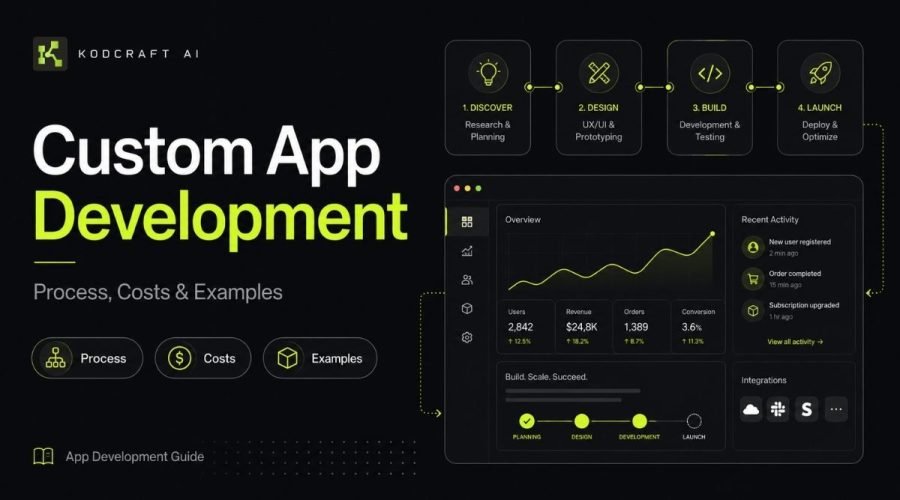
Custom app development is the process of creating software around a specific business problem, workflow, user group, or product idea instead of relying completely on ready-made software.
That could mean building a customer portal, operations dashboard, quote calculator, booking system, approval tool, internal CRM, management platform, or a focused application that handles one important task well.
But deciding to build an app is only the beginning.
A useful application needs a clear purpose, realistic scope, sensible technology, proper testing, and a plan for what happens after launch.
This guide explains the custom app development process in plain English, including what affects development cost, how long different decisions can add to a project, examples of custom applications, when custom development makes sense, and what to work out before you start.
Quick answer: Custom app development makes the most sense when your business has an important workflow, user experience, or software requirement that existing tools cannot handle well enough without excessive workarounds.
If you are still exploring the subject, visit our App Development Guides & Resources hub.
Custom App Development at a Glance
| Question | Short Answer |
|---|---|
| What is custom app development? | Building software around specific users, workflows, data, and business requirements. |
| When does it make sense? | When existing software does not fit an important process or product requirement well enough. |
| What affects the cost? | Scope, features, user roles, integrations, data, UI complexity, testing, security, AI features, and ongoing requirements. |
| How long does it take? | It depends heavily on scope. A focused application can move much faster than a multi-role platform with complex integrations. |
| Should every business build custom software? | No. SaaS, automation, spreadsheets, or simpler tools are often better choices. |
| What should come first? | Define the problem, users, essential workflow, and smallest useful first version. |
What Is Custom App Development?
Custom app development means planning and building an application for a particular set of requirements instead of adapting entirely to software designed for a broad market.
A ready-made CRM, project management tool, booking platform, or accounting system is designed to serve many businesses.
A custom application can be shaped around one business.
For example, imagine a company currently manages customer requests through email, calculates quotes in spreadsheets, updates job status manually, and copies customer information into several systems.
The company could buy more software.
Or, if its workflow is important and unusual enough, it could build a focused application that brings the necessary steps together.
The difference is not simply custom software versus normal software.
The real question is:
Does the business need something that existing software cannot solve cleanly enough?
What Can a Custom App Actually Be?
The phrase “custom app” can sound much larger than it needs to.
Not every application is a huge platform with thousands of users.
Many useful business applications are deliberately small.
Common examples include:
Customer Portals
A secure area where customers can:
- submit information;
- view project status;
- upload documents;
- access files;
- manage requests;
- see account information;
- communicate with the business.
Internal Operations Dashboards
Applications that bring important operational information into one place.
A dashboard might show:
- active jobs;
- sales activity;
- service requests;
- deadlines;
- customer status;
- inventory;
- team workload;
- business KPIs.
Quote and Pricing Tools
Instead of manually calculating every proposal, a custom tool can apply predefined pricing rules and generate more consistent estimates.
This can be especially useful when pricing depends on several variables.
Booking and Scheduling Systems
A custom booking application may be appropriate when normal scheduling tools cannot handle specific availability rules, service combinations, resources, locations, approvals, or customer workflows.
Approval Applications
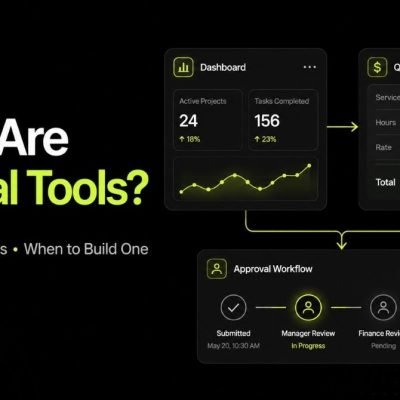
Teams can use an application to submit, review, approve, reject, and track requests instead of managing approvals through email chains.
Internal CRM Systems
Some businesses do not need every feature inside a large CRM platform.
A focused internal CRM can concentrate on the customer records, pipeline stages, tasks, notes, and workflows that the team actually uses.
Business Calculators
Applications can turn complex formulas, pricing models, eligibility rules, or estimation processes into a simpler interface.
Lightweight Customer-Facing Platforms
A custom application might let users search listings, submit requests, create accounts, manage information, purchase access, or complete a specialized workflow.
How Is a Custom App Different From a Website?
A website mainly presents information.
A web application allows users to interact with information, rules, data, or workflows.
For example:
A plumbing company website may explain services, locations, and contact information.
A plumbing service application might allow customers to sign in, request jobs, upload photos, see technician updates, approve quotes, and view service history.
The boundary is not always strict.
A modern digital product can contain both a public website and application functionality behind it.
For broader technical information about how web technologies work together, MDN Web Docs provides documentation covering the open web platform, including HTML, CSS, JavaScript, HTTP, browser APIs, and related technologies.
Process
The Custom App Development Process
There is no single process that every developer or agency follows.
However, a well-structured project usually moves through several important stages.
Understand the Problem
Development should not start with:
What framework should we use?
It should start with:
What problem are we trying to solve?
This stage should clarify:
- what happens today;
- what is inefficient;
- who experiences the problem;
- what tools are already being used;
- what information moves through the process;
- where mistakes or delays happen;
- what a better outcome would look like.
For example:
Weak starting point:
We need an admin dashboard.
Better starting point:
Our operations team receives jobs through three channels and manually updates the same customer information in two spreadsheets. Managers cannot easily see which jobs are delayed.
The second description tells a developer far more about what actually needs to be solved.
Identify the Users
Next, determine who will use the application.
Possible users include:
- administrators;
- employees;
- customers;
- managers;
- vendors;
- contractors;
- members;
- partners.
Different users may need different permissions.
For example, a manager may need access to financial reports while an employee only needs to update assigned tasks.
A customer may only need access to their own information.
These differences affect both application design and development complexity.
Map the Core Workflow
Before listing dozens of features, describe what users need to accomplish.
A simple workflow might look like:
Customer submits request → employee reviews request → quote is created → customer approves → job is scheduled → status is updated → customer receives notification
That workflow is more useful during early planning than a long list of screens.
Once the workflow is clear, features become easier to define.
Define the First Useful Version
One of the most important decisions in custom app development is deciding what not to build yet.
The first release does not necessarily need every feature that could eventually exist.
Ask:
What is the smallest version of this application that would meaningfully solve the main problem?
That could mean starting with:
- one user type instead of four;
- one core workflow;
- basic reporting instead of advanced analytics;
- manual admin controls before automating every exception;
- one integration instead of connecting every business platform.
This approach reduces unnecessary complexity and gives real users something useful to test sooner.
For startup product ideas, this overlaps with MVP Development.
Plan the User Experience
Once the workflow is understood, the screens and user journey can be planned.
This may include:
- dashboard layout;
- forms;
- navigation;
- record views;
- search;
- filters;
- tables;
- status indicators;
- account areas;
- notifications;
- mobile behavior.
The objective is not simply to make the application attractive.
Users should understand what they need to do without fighting the interface.
Choose the Technical Approach
Technology should follow the requirements rather than lead them.
Depending on the project, an application may require:
- frontend development;
- backend logic;
- database;
- authentication;
- APIs;
- file storage;
- payment processing;
- email or SMS services;
- automation tools;
- AI APIs;
- analytics;
- hosting infrastructure.
Modern development may also involve platforms such as Replit, Lovable, Bolt, GitHub, cloud services, databases, and other tools.
At Kodcraft AI, these are treated as tools used to solve the problem rather than the definition of the service.
The right stack depends on what the application needs to accomplish.
Build the Application
Development turns the planned workflows and interfaces into working software.
This stage may include:
- database setup;
- frontend interfaces;
- backend functions;
- authentication;
- business logic;
- user roles;
- integrations;
- API connections;
- notifications;
- payment workflows;
- dashboards;
- admin functionality.
Modern AI-assisted development can make parts of implementation, troubleshooting, iteration, and documentation faster.
But faster code generation does not remove the need for structure or review.
You can read more about our development approach on How Kodcraft AI Builds.
Test More Than the Happy Path
A feature working once does not mean the application is finished.
Testing should consider questions such as:
- What happens if a field is empty?
- What happens if the API fails?
- Can users see information they should not see?
- What happens on mobile?
- What happens when two actions happen at the same time?
- Can users recover from mistakes?
- Are forms validated?
- Are permissions working correctly?
- Are error messages understandable?
- Does the workflow still work with real data?
Security also needs attention.
The current OWASP Top 10:2025 identifies major application-security risk areas including broken access control, security misconfiguration, software supply-chain failures, cryptographic failures, injection, insecure design, and authentication failures.
Businesses and developers can use the OWASP Top 10 as an awareness resource when thinking about web application security.
Deploy and Launch
Deployment moves the application into the environment where its real users can access it.
Depending on the project, launch preparation may include:
- production hosting;
- domain or subdomain configuration;
- environment variables;
- database setup;
- backups;
- API credentials;
- email services;
- monitoring;
- analytics;
- user accounts;
- access permissions.
A controlled launch with a smaller user group can sometimes uncover issues before the application is introduced more widely.
Document and Hand Over the Project
Project ownership matters.
A proper handoff may include:
- application access;
- source-code access;
- hosting access;
- database access;
- environment information;
- third-party account details;
- basic documentation;
- deployment instructions;
- known limitations;
- future-development notes.
Kodcraft AI includes clear project access and handoff as part of its broader development approach.
Improve the App After Real Use
Launch is not always the end of app development.
Real usage often reveals things that planning cannot.
You may discover that:
- users ignore a feature you expected them to use;
- a workflow needs fewer steps;
- an admin task should be automated;
- another integration would save significant time;
- users need clearer information;
- one feature is far more valuable than another.
Good software can evolve based on evidence rather than assumptions.
How Much Does Custom App Development Cost?
There is no honest single answer because there is no standard custom application.
A quote builder used by five employees is fundamentally different from a multi-user SaaS platform with payments, AI features, messaging, permissions, reporting, and dozens of workflows.
For outside market context, Clutch’s August 2026 software-development pricing data says many reviewed custom-software projects fall in the $10,000–$49,999 range. Its overall average is substantially higher because the dataset includes much larger software projects. Clutch also identifies project planning, architecture and design, development, QA, and deployment as major cost components.
That is an industry benchmark, not a Kodcraft AI price quote.
Focused modern builds can have very different scopes, development methods, team structures, and costs.
The more useful question is:
What is making this particular application expensive or inexpensive to build?
Cost Drivers
What Affects Custom App Development Cost?
Number of Core Features
Every meaningful feature requires some combination of planning, interface work, logic, data handling, testing, and maintenance.
For example, adding:
- user accounts;
- payments;
- messaging;
- reports;
- search;
- file uploads;
- notifications;
- approvals;
- scheduling
can each increase scope.
The important question is not how many features sound useful.
It is how many are necessary for the application to solve its main problem.
User Roles and Permissions
An application with one administrator is simpler than one with:
- super administrators;
- managers;
- employees;
- customers;
- vendors;
- partners.
Each role may need different permissions and interfaces.
Permission logic also has security implications because users must only be able to access actions and information appropriate to their role.
Business Logic
Some screens look simple while the rules behind them are complicated.
Consider a pricing form.
The interface might contain only ten fields, but the calculation could depend on:
- customer type;
- service level;
- location;
- quantity;
- discounts;
- tax;
- minimum charges;
- special conditions.
The visual size of an application does not always reveal its development complexity.
Integrations
Connecting an application to another system introduces additional work.
Examples include:
- Stripe;
- Google Workspace;
- accounting platforms;
- CRMs;
- Airtable;
- calendars;
- email services;
- SMS platforms;
- AI APIs;
- shipping providers;
- existing databases.
Integrations may require API authentication, data mapping, webhooks, error handling, rate limits, and synchronization rules.
If your main problem is moving information between existing tools rather than replacing them, Workflow Automation may be a better starting point.
Existing Data
Will the application start empty?
Or does it need thousands of existing customer records, products, transactions, documents, or historical records?
Data cleaning and migration can become a project of its own when existing information is inconsistent or spread across several systems.
User Interface Complexity
A simple internal application can often use a straightforward interface.
A customer-facing product may require more work around:
- branding;
- responsive behavior;
- onboarding;
- animations;
- accessibility;
- account management;
- empty states;
- polished interaction patterns.
More interface states normally mean more design and testing work.
AI Functionality
AI can add useful capabilities such as:
- document extraction;
- summarization;
- categorization;
- search;
- drafting;
- knowledge assistance;
- recommendations.
But AI features also introduce additional considerations.
These can include:
- model selection;
- prompt design;
- API costs;
- accuracy;
- fallback behavior;
- data privacy;
- output review;
- response time;
- usage limits.
An AI feature should solve a real task rather than simply exist because AI is available.
See our Practical AI App Development Services if AI is central to the application.
Security Requirements
A basic public calculator and an application storing sensitive customer information do not have the same security requirements.
More sensitive applications may require stronger controls around:
- authentication;
- permissions;
- encryption;
- audit logging;
- session handling;
- backups;
- data retention;
- infrastructure.
Security should be considered during planning, not added only after the application is finished.
Testing Requirements
The number of workflows, integrations, devices, user roles, and edge cases affects the amount of testing needed.
A single-user internal tool may have fewer test paths than a customer-facing application processing payments.
Scope Changes During Development
Changing direction is sometimes necessary.
But continuously adding features while development is underway makes budget and timeline estimates less reliable.
This is one reason clearly defining version one is so important.
Do Hosting and Third-Party Services Affect the Cost?
Yes.
Development is only one part of the total cost of running an application.
Ongoing expenses may include:
- hosting;
- databases;
- file storage;
- email delivery;
- SMS;
- payment-processing fees;
- AI usage;
- API subscriptions;
- monitoring;
- analytics;
- domain renewal;
- maintenance.
The exact combination depends on the application.
AWS’s Well-Architected guidance recommends considering cost during architecture decisions rather than treating infrastructure cost as an afterthought.
For deeper technical guidance, see the AWS Well-Architected Framework.
A Better Way to Think About App Development Cost
Instead of asking:
How much does an app cost?
Ask:
What is the smallest useful solution to this problem?
Consider these three hypothetical projects.
Project A: Internal Quote Builder
Requirements:
- staff login;
- customer information;
- service selections;
- pricing rules;
- quote calculation;
- printable result.
This is a relatively focused application.
Project B: Customer Service Portal
Requirements:
- customer and staff accounts;
- document uploads;
- request management;
- status updates;
- email notifications;
- dashboard;
- internal notes;
- customer history.
This introduces more user roles, data, workflows, and permissions.
Project C: SaaS Platform
Requirements:
- multiple organizations;
- billing;
- subscriptions;
- onboarding;
- administrator controls;
- reporting;
- team permissions;
- notifications;
- integrations;
- customer support tools.
This is a much larger product.
All three are “custom apps.”
Their cost should not be expected to be similar.
Examples
What Are Some Realistic Custom App Examples?
Here are common business problems and the types of applications that may solve them.
| Business ProblemPossible Custom App | |
|---|---|
| Staff repeatedly calculates prices manually | Quote or pricing application |
| Customer requests are scattered across email | Client portal |
| Managers cannot easily see operational status | Operations dashboard |
| Employees update several spreadsheets | Internal operations system |
| Requests require several approvals | Approval workflow application |
| Customers repeatedly ask for status updates | Customer tracking portal |
| Existing CRM is far more complex than needed | Focused internal CRM |
| Business has a unique booking process | Custom scheduling application |
| Staff manually processes documents | Document-processing application |
| Customers need specialized calculations | Interactive calculator |
| A founder wants to test a product idea | SaaS or marketplace MVP |
Example 1: Replacing a Spreadsheet Workflow
Imagine a service business uses a spreadsheet to manage jobs.
At first, it works.
Then the business grows.
Now:
- several employees edit the same file;
- customer details are duplicated;
- status values are inconsistent;
- managers cannot easily see delays;
- employees manually send updates;
- reports require extra work.
A custom application could provide:
- structured customer records;
- job status tracking;
- assigned employees;
- standardized fields;
- filters;
- notifications;
- reporting.
The value does not come from “having an app.”
It comes from making the workflow clearer.
If this sounds familiar, also read our guide on Signs Your Business May Need a Custom App.
Example 2: Custom Quote Builder
Consider a company where employees calculate quotes using a spreadsheet containing dozens of formulas.
The process works, but problems appear:
- formulas can be changed accidentally;
- staff members calculate prices differently;
- copying information takes time;
- outdated spreadsheets remain in circulation.
A focused quote application could allow staff to select options, apply controlled pricing rules, calculate totals, save customer information, and generate consistent outputs.
This is an example of a relatively small custom application creating value without becoming a huge software platform.
Example 3: Client Portal
A professional-service company may handle projects through email.
Customers repeatedly ask:
- What is the current status?
- Did you receive my document?
- What do you still need from me?
- Where can I download the final file?
A portal could give customers one place to:
- see status;
- upload files;
- view requests;
- download documents;
- update information.
Meanwhile, staff could manage those interactions from an administrative interface.
Read our Client Portal Development Guide for a deeper look at this type of application.
Example 4: Operations Dashboard
A dashboard becomes useful when important information exists but is difficult to see together.
For example, a manager may need to monitor:
- jobs waiting for action;
- overdue tasks;
- revenue;
- team workload;
- customer requests;
- inventory;
- project progress.
A custom dashboard can organize relevant information around the decisions the user actually needs to make.
See our Custom Dashboard Development Guide for more.
Should You Build a Custom App or Buy Existing Software?
Custom development should not be the default answer.
Existing SaaS is often the better choice.
Choose existing software when:
- the problem is common;
- good software already solves it;
- your workflow can adapt reasonably well;
- you need something immediately;
- configuration is enough;
- building software would create little strategic value.
Consider custom development when:
- your workflow is genuinely different;
- workarounds are becoming expensive;
- several disconnected systems need to behave like one;
- important rules cannot be represented properly;
- users need a unique experience;
- the application creates a competitive or operational advantage;
- existing platforms contain too much unnecessary complexity.
For a complete comparison, read Custom App vs SaaS: Which Should Your Business Choose?.
Custom App, Internal Tool, or Workflow Automation?
These options overlap, but they are not always the same.
| OptionUsually Best When | |
|---|---|
| Custom App | You need a new interface, database, user experience, or set of custom workflows. |
| Internal Tool | The main users are employees or operations teams. |
| Workflow Automation | Your current systems work, but too much information is moved manually between them. |
| SaaS | An existing platform already solves the problem well. |
| MVP | You need to test a new product or platform idea before building everything. |
Sometimes the right solution combines several approaches.
An internal application might connect to existing SaaS tools through automation.
A customer portal could include an internal administration dashboard.
An MVP might include both an application and AI functionality.
The label matters less than solving the problem cleanly.
What Should Be Included in the First Version?
Version one should contain enough functionality to solve the main problem.
Not every future idea needs to be included.
A useful prioritization method is to divide features into:
Must Have
The application cannot solve the core problem without these features.
Should Have
Important features that improve the workflow but are not essential to prove the application works.
Could Have
Useful additions that can wait until real users have tested the core system.
Not Yet
Ideas worth remembering but not worth increasing the first release’s complexity.
A smaller first version can produce something especially valuable:
real feedback.
That feedback often changes what should be built next.
How Long Does Custom App Development Take?
There is no reliable timeline without understanding scope.
The biggest timeline factors include:
- number of features;
- number of user roles;
- workflow complexity;
- integrations;
- data migration;
- feedback speed;
- UI requirements;
- testing;
- technical uncertainty;
- scope changes.
A focused internal tool with one workflow can be developed much faster than a multi-user platform with payments, reporting, integrations, AI features, and a large customer-facing interface.
For a deeper breakdown, see How Long Does Custom App Development Take?.
Does AI-Assisted Development Make Custom Apps Faster to Build?
It can.
AI-assisted development can speed up parts of:
- research;
- coding;
- debugging;
- interface iteration;
- documentation;
- refactoring;
- troubleshooting.
But speed is not the same as readiness.
Generated code still needs to fit the application architecture and business requirements.
Important areas still need human attention, including:
- scope;
- application logic;
- data structure;
- security;
- permissions;
- testing;
- integrations;
- user experience;
- performance;
- deployment.
At Kodcraft AI, AI-assisted development is part of how we build, not a replacement for the development process.
We may work with Replit, Lovable, Bolt, APIs, databases, automation platforms, and other technologies depending on the project.
The goal is not to generate an entire project from one prompt.
The goal is to use modern development tools to move faster while maintaining structure and review.
Learn more on our How We Build page.
What Makes a Custom App Business-Ready?
An application is not business-ready simply because the main buttons work.
Depending on the project, business readiness may include:
Clear User Roles
Users should only see and control what they need.
Reliable Data Handling
Information should be stored, retrieved, edited, and validated consistently.
Error Handling
The application should deal with failures without leaving users confused.
Security-Conscious Implementation
Authentication, permissions, dependencies, configuration, and data handling need appropriate attention.
OWASP’s current web-application guidance is a useful independent starting point for understanding common security risks.
Responsive Interfaces
If users access the application from different devices, the experience should remain usable.
Performance
Users should not have to fight slow interfaces or unnecessary loading.
Maintainability
Another developer should be able to understand and work with the project later.
Project Access
The business should understand where the application, code, services, and important accounts are located.
Documentation
Essential setup and operational information should not live only in one developer’s memory.
Avoid These
Common Custom App Development Mistakes
Starting With Technology Instead of the Problem
Choosing a platform before understanding the workflow can lead to unnecessary limitations.
Trying to Build Every Idea at Once
A large feature list creates more development, testing, and uncertainty.
Start with the core problem.
Copying Existing Software Feature for Feature
If an existing platform contains 100 features and your team uses 12, you probably do not need to reproduce all 100.
Ignoring the Admin Side
Teams often focus entirely on what customers will see.
Someone still needs to manage:
- users;
- records;
- content;
- requests;
- errors;
- settings.
Administrative workflows matter.
Forgetting Edge Cases
The normal workflow is only part of the application.
What happens when:
- payment fails;
- a user enters bad data;
- a file is too large;
- an API is unavailable;
- someone loses access;
- two records conflict?
These cases should be considered.
Adding AI Without a Real Use Case
AI should improve a task.
Adding an AI chatbot simply because AI is popular does not automatically improve the application.
Having No Clear Owner After Launch
Someone needs responsibility for decisions, accounts, feedback, and future changes.
When Custom App Development Is Probably the Wrong Choice
Trustworthy development advice also requires knowing when not to build.
Custom development may not be the right choice when:
- a proven SaaS platform already solves the problem well;
- the business problem is still unclear;
- nobody knows who will actually use the application;
- the project has no meaningful success measure;
- the budget cannot support ongoing operation;
- requirements change completely every few days;
- the first version includes every possible feature;
- the main motivation is simply “we should have an app.”
Sometimes the best development decision is not to develop anything yet.
Questions to Answer Before Talking to an App Developer
You do not need a full technical specification.
Try to answer these instead.
The Problem
- What is happening today?
- What is difficult, slow, or repetitive?
- Why does it matter?
The Users
- Who will use the application?
- What does each user need to accomplish?
The Workflow
- What happens first?
- What happens next?
- What marks the process as complete?
The Information
- What data needs to be stored?
- Where does that information come from?
- Who should be allowed to access it?
The Connections
- Does the application need to connect to other software?
- Are APIs available?
The First Version
- Which features are essential?
- Which could wait?
Success
- What should become faster, easier, more accurate, or more valuable after launch?
These answers are usually more useful than arriving with a long list of technologies.
Kodcraft AI Approach
How Kodcraft AI Approaches Custom App Development
Kodcraft AI builds practical custom digital solutions for businesses, founders, and growing teams.
For application projects, we start with the business goal rather than trying to force every project into one platform or technology.
Our general approach is:
Understand the Goal
Clarify users, workflows, problems, requirements, and constraints.
Define a Practical Scope
Separate essential functionality from features that can wait.
Build With Modern Development Tools
Use AI-assisted development and appropriate platforms to improve development and iteration speed.
Review and Test
Check functionality, workflows, integrations, responsive behavior, permissions, and relevant edge cases.
Launch and Hand Over Clearly
Deploy the application, document essential information, and provide appropriate project access.
The objective is not simply to build more software.
It is to build the simplest useful solution that fits the real problem.
If you already have a project in mind, explore our Custom App Development Services.
Useful Independent Resources
Good development decisions should not depend entirely on what a development company says.
These independent resources are useful for deeper research.
MDN Web Docs
MDN Web Docs documents the technologies and standards behind modern web applications and is maintained as an open resource for web developers.
OWASP Top 10
The OWASP Top 10 is a widely used awareness resource covering important web application security risks. The current published edition is OWASP Top 10:2025.
AWS Well-Architected Framework
The AWS Well-Architected Framework provides architecture guidance covering areas such as security, reliability, performance efficiency, operations, sustainability, and cost considerations. AWS specifically recommends factoring cost into architectural decisions rather than treating it separately.
Clutch Software Development Pricing
For broader industry pricing context, Clutch’s Software Development Pricing Guide provides current pricing data based on software-development projects and reviews on its platform.
FAQ
Frequently Asked Questions
What is custom app development?
Custom app development is the process of building software around specific users, workflows, data, rules, or business requirements rather than relying entirely on an off-the-shelf product.
What are examples of custom business apps?
Examples include customer portals, operations dashboards, quote builders, internal CRM systems, booking systems, approval tools, management platforms, calculators, document-processing tools, and lightweight SaaS products.
How much does custom app development cost?
There is no standard price because app scope varies significantly. Major cost drivers include features, user roles, business logic, integrations, data migration, interface complexity, testing, security requirements, and ongoing infrastructure.
As an outside industry benchmark, Clutch’s August 2026 data shows many reviewed custom-software projects falling between $10,000 and $49,999, although smaller focused builds and much larger platforms can fall outside that range.
How long does it take to build a custom app?
The timeline depends on scope. A focused application with one core workflow can move much faster than a platform with multiple user roles, payments, integrations, advanced reporting, and complex business rules.
Read our Custom App Development Timeline Guide for more detail.
Is custom development better than SaaS?
Not automatically.
SaaS is usually the better choice when existing software already solves the problem well.
Custom development becomes more useful when an important workflow, integration, business rule, or customer experience cannot be handled cleanly by existing software.
See Custom App vs SaaS for a detailed comparison.
Do I need a full technical specification before contacting a developer?
No.
Start by explaining the business problem, users, current workflow, essential actions, existing tools, and desired outcome.
Technical decisions can follow once the requirement is understood.
Can a custom app replace spreadsheets?
Yes, but replacing a spreadsheet only makes sense when the spreadsheet is creating a real limitation.
If a spreadsheet is simple, reliable, and used by only a few people, keeping it may be perfectly sensible.
Consider a custom application when spreadsheets create problems such as duplicate information, inconsistent data, difficult permissions, repetitive work, poor visibility, or complex workflows.
Can a custom app connect to existing business software?
Often, yes.
Applications can potentially connect to CRMs, payment systems, spreadsheets, email platforms, databases, accounting tools, automation services, and other software when suitable APIs or integration methods are available.
Can AI be added to a custom app?
Yes, when it supports a useful task.
Examples include document extraction, summarization, classification, drafting, AI search, knowledge assistance, and workflow intelligence.
AI should be added because it improves the workflow, not simply because it is available.
Do custom apps need maintenance?
Most applications need some ongoing attention.
Third-party APIs change, dependencies are updated, business requirements evolve, security issues emerge, and users may identify new needs after launch.
The amount of ongoing maintenance depends on how complex and business-critical the application is.
Does Kodcraft AI only use Replit?
No.
Kodcraft AI may use Replit, Lovable, Bolt, APIs, databases, automation platforms, and other suitable technologies depending on project requirements.
We position these as development tools, not as the definition of the company.
Keep Learning
Continue Learning About App Development
This guide covers the broad picture.
For deeper answers, continue with the resources in our App Development Guides & Resources hub.
Recommended Next Guides
Custom App vs SaaS: Which Should Your Business Choose? Compare flexibility, cost, control, speed, and long-term fit.
How Much Does Custom App Development Cost? Explore the individual factors that influence app-development budgets.
How Long Does Custom App Development Take? Understand what makes development faster or slower.
How Does the Custom App Development Process Work? Take a deeper look at each stage from discovery through launch.
7 Signs Your Business Needs a Custom Application Identify whether your current workflow has reached the point where custom software may be worth considering.
Next Step
Have an App Idea or Workflow Problem?
You do not need to arrive with a technical specification or know which platform should be used.
Tell us what you are trying to improve.
It might be a manual process that takes too much time, a spreadsheet that has become difficult to manage, a customer portal you need to launch, or an idea for a new digital product.
Kodcraft AI can help determine whether the sensible solution is a custom app, internal tool, workflow automation, MVP, existing software, or a combination of approaches.
Start with the problem. The technology can come later.